
A Comparison of two radios based on the TEF6686 DSP chip
This post title was inspired by my new Sparkelec DP-666 radio based on the NXM TEF6686 DSP chip. That’s a lot of sixes. Here I compare two radios based on the TEF 6686 chip.
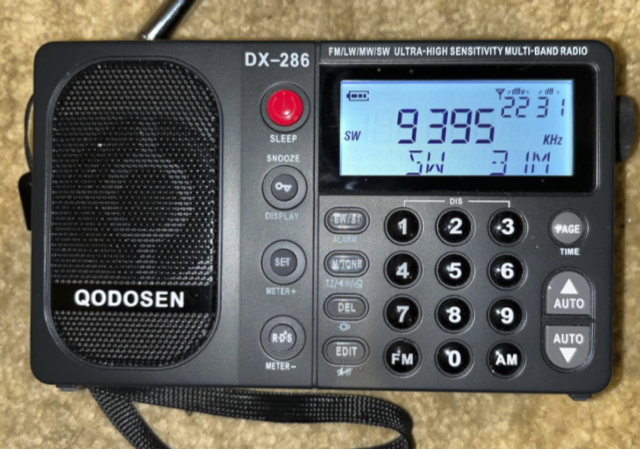
One is a mature product from the Chinese electronics industry designed by a highly experienced shortwave radio designer. The Qodosen DX-286 is a polished retail package with excellent performance. It has a clear, high-quality manual that explains each function of the radio, step by step. Controls follow function logically and efficiently.
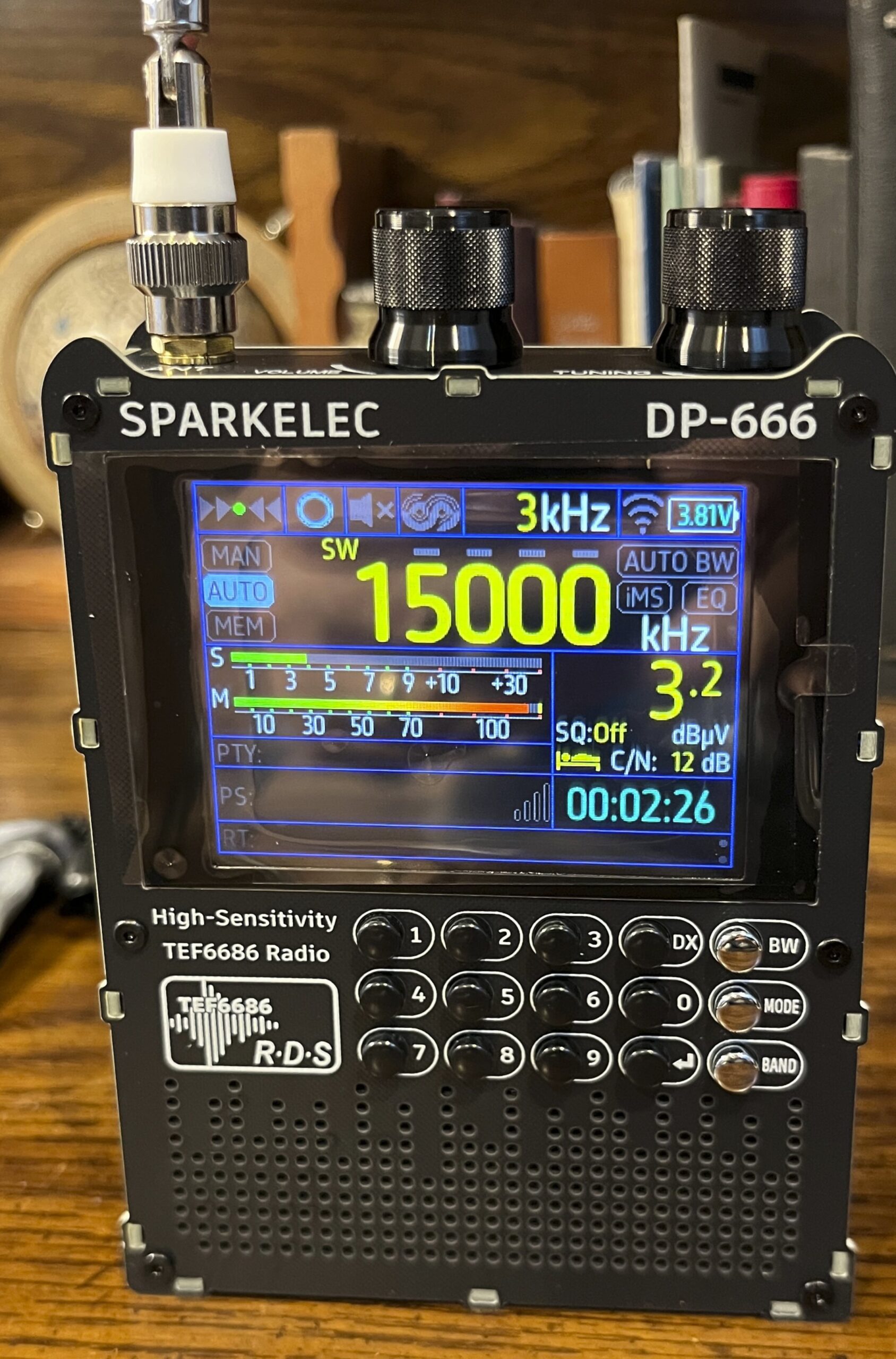
The DP-666 is an evolving experiment with multiple open source firmware packages, one that is made by competing clone manufacturers in multiple form factors. The user is left with very little go on sometimes and may spend hours searching for how to do the simplest operation. It is, nevertheless, a very capable radio with pleasing operation once figured out.
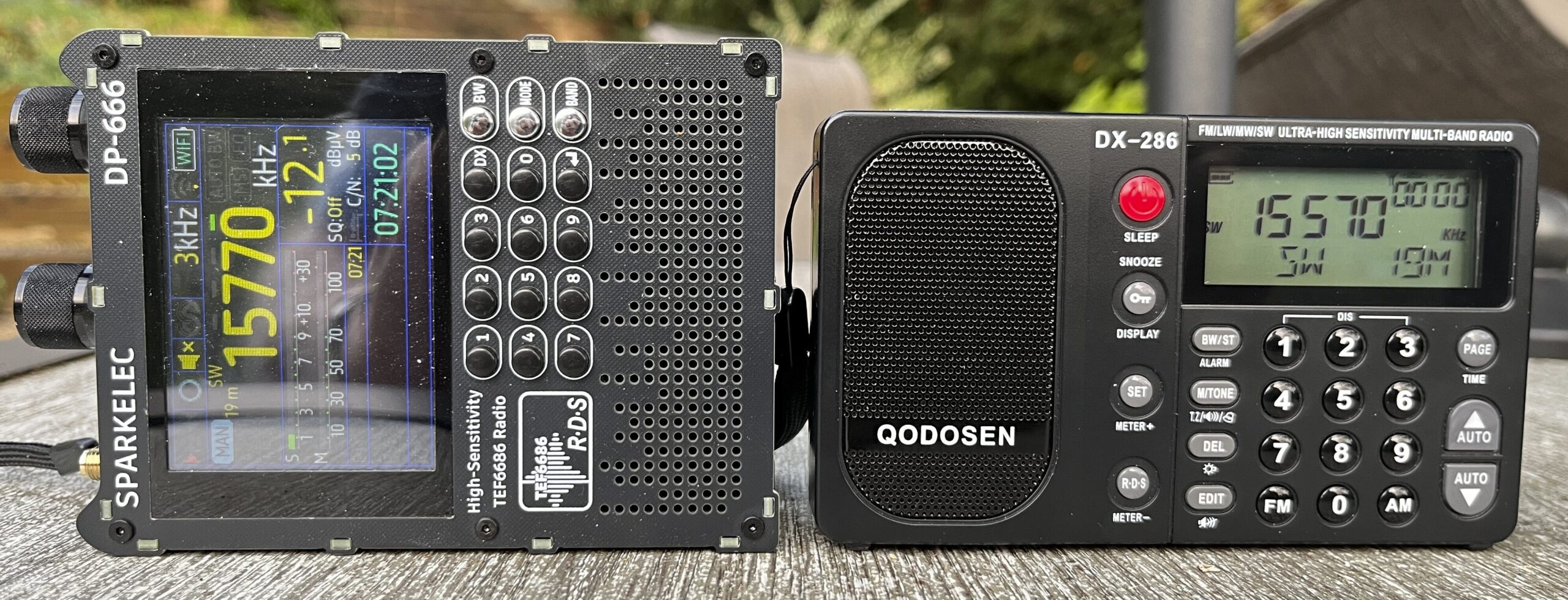
A great deal has been written on this blog already about the Qodosen DX-286 and its twin brother the SR-286. For that reason I’ll be talking more about the DP-666 in this article as I’m just getting to know this receiver. The DX-286 will be the standard by which I judge the DP-666.
If you want the bottom line, the DX-286 is the more competent receiver on shortwave, and the DP-666 has a better speaker for listening to music, but there is a lot more going on.
Features
It wouldn’t be Blog or Die! without the big feature comparison table. Keep in mind that the DP-666 feature list depends on the firmware. I’m basing the following on Version 2.00.15 Mod 16 by Megatr0n Patch v102.
| Feature | DX-286 | DP-666 |
|---|---|---|
| LW Band | 144 – 519 | 144 – 513 |
| MW Band | 520 – 1710 | 520 – 1991 |
| Internal MW Antenna | Y | |
| SW Band | 1711 – 27000 | 1700 – 27000 |
| SW Bandwidths | 3, 4, 6, 8 kHz | 3, 4, 6, 8 kHz |
| SSB | ||
| FM Band (MHz) | 64 – 108 | 66 – 108 |
| RDS | Y | Y |
| Air Band | No, see notes | |
| Bluetooth | See Notes | |
| Wi-Fi | Y | |
| Clock | Y | Only when radio on |
| NTP Time Set | Y | |
| RDS Time Set | Y | Y |
| Sleep timer | Y | Y |
| Direct Freq Entry | Y | Y |
| Variable Speed Tuning | Y | See Notes |
| Menu Interface | Y | |
| Size (H x W x D) | 76 x 134 x 30 mm | 240 x 140 x 40 mm |
| Fits Shirt Pocket | Y | |
| Telescopic Antenna | Y | Y |
| Wrist strap | Y | See notes |
| Kickstand | Y | |
| Battery | 18650 | Internal |
| Battery capacity | up to 4000 mAh | 5000 mAh |
| Charging | USB-C | USB-C |
| Firmware upgradable | Y | |
| External antenna jack | Y | Y |
| Headphone stereo | Y | Y |
| Mute button | Y | Y |
| Can turn display off | Y | Y |
| Squelch | Y | Y |
| Touch controls | See Notes | |
| Keyboard Lock | Y | Y Long press ↵ |
Notes:
- The DP-666 does not come with a wrist strap, but there are holes to accommodate adding one.
- It is possible to switch the radio to what looks like AIR band, with the word “AIR” on it and frequencies that look like AIR band frequencies; however, this is not a native capability of the radio, but rather support from an outboard frequency converter that maps AIR band frequencies to SW. [Thanks to commenter on YouTube for that]
- Bluetooth turns on, but is not discoverable.
- The DP-666 has a standard tuning rate for each band, but implements the ability in the UI to select which digit is incremented: the ones digit, the tens digit, etc. The HanRongDa HRD-701 and the Raddy RF760 have a similar feature. It’s more useful on radios without direct frequency entry.
- The DP-666 hardware supports touch controls, but only with some of the firmware versions.
Auto Tuning Storage (ATS)
I wrote an article, Radio Memory Systems, on ATS. It’s an extremely useful feature for someone like me who wants to know in a hurry what’s on the air. Many of my radios have the feature, but I only use it on two, the Tecsun PL-330 (where it’s call Enhanced Tuning Mode) and the Qodosen DX-286. The DX-286 is the fastest SW scan of my radio accumulation and it picks up stations that I might miss scanning by hand. When testing some absolutely unrelated radio, I often select stations to test using the DX-286 scans. It is simply sublime.
How does this compare with the DP-666? ATS is a firmware feature, not a hardware feature, so one firmware branch might have it, and another not.
After thirty minutes reading, exploring and testing, I’ve gained a rudimentary understanding of how ATS works. The tortuous path that used to appear below has been deleted, and some basic procedures kept. It is my current opinion that ATS only works on FM.
There appear to be two ways to begin an ATS scan. One is to enter the menu system with a long press of the MODE button and selecting “Frequency scanning.” That selection leads to this screen:
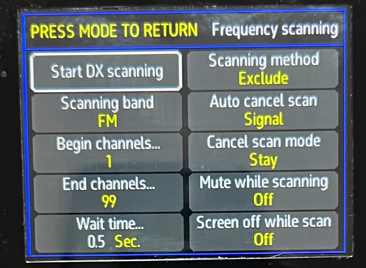
The idea is to select a band, a method and to start the scan. Notice that the default wait time is 0.5 seconds. There are 5060 shortwave channels and at 2 channels per second, a full band scan would take 47 minutes. Plus there are options listed that are not explained. However, for Shortwave, this appears to be the only option. However, when I’ve tried it, no stations were found.
The second way to do an ATS scan is to press the MW (bandwidth) button to bring up the main controls screen.
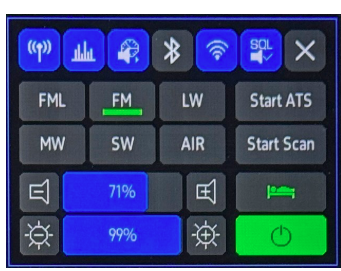
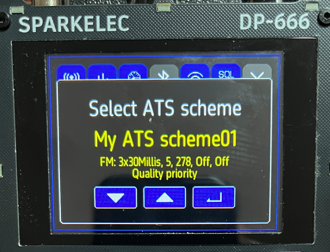
There one finds a “Start ATS” button. Pressing that button displays an ATS scanning Scheme selector for the previously selected band. It doesn’t matter which scheme is picked, since at the start they are all the same. So just press enter (↵). Note that all the schemes say FM, so you can only scan FM this way until we find a way to create a scheme for other bands.
The radio will start scanning. As each station is stored, a tiny number appears to the left of the Band designation on the main display.
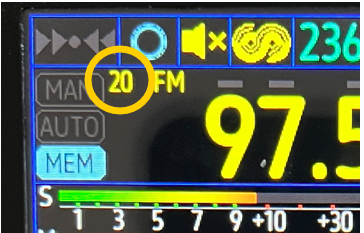
After the scanning is complete, repeated presses of the MODE button advance to the MEM mode (if not already in that mode), and in that mode, turning the tuning knob advances through the saved frequencies in memory. Also in MEM mode when FM ls the current band, a long press of the BAND button brings up a memory management display:

Here one can retrieve memories (press enter to tune to that memorized frequency) and presumably delete unwanted ones. If any band but FM is selected, the “Load” option disappears. It appears that there are only 99 memory locations. My hunch is that the 99 are for all bands, not each band.
Update: After reinstalling the firmware, updating to M17 and back to M16, there were other bands besides FM in the ATS Schemes. I tried one with Shortwave and it appeared to find a couple of stations, but neither of them were actual broadcast signals, mostly noise. It may take some trial and error to perfect the scheme supplied or a firmware update may be required; the new scheme scans much faster and may be missing stations. Schemes are edited from the Main Menu under “My Settings.”
Quirks
DSP Artifacts
I’ve talked about a quirk in DSP radios where they present a station on a frequency not broadcast. It’s not a real signal on that frequency but an artifact of digital signal processing (DSP) called aliasing. They typically appear in the lower end of the shortwave band when the actual station on a much higher frequency is particularly strong.
Today I did a band scan on the Qodosen DX-286 and it found a station on 2485 kHz that later identified as Radio Exterior de España and was actually broadcasting on 17715 kHz. The Sparkelec received the same artifact.
For more on artifacts, see my article: Radio Ghosts and Other Things that Go Beep in the Night.
Overload
I traveled to a hillside location in Afton, Virginia for some low-noise testing, and I started with an ATS scan with the DX-286. This was about 11 am when I didn’t expect much. The first interesting station was CFRX in Toronto, 6070 kHz, weak, but clear enough to understand the speech. On the DP-666, however, there was some distortion, like bleed from an adjacent station — only there was no adjacent station. I moved the radio around, discovering that I could get a clear signal from a different station on 6070; the signal was clear enough to hear: “99.7.” The station was WCYK FM, 3300 Watts, 3.74 miles from my location. So at least in this instance, the DP-666 can overload from a strong local FM station. The DX-286 had no problem from this strong local station.
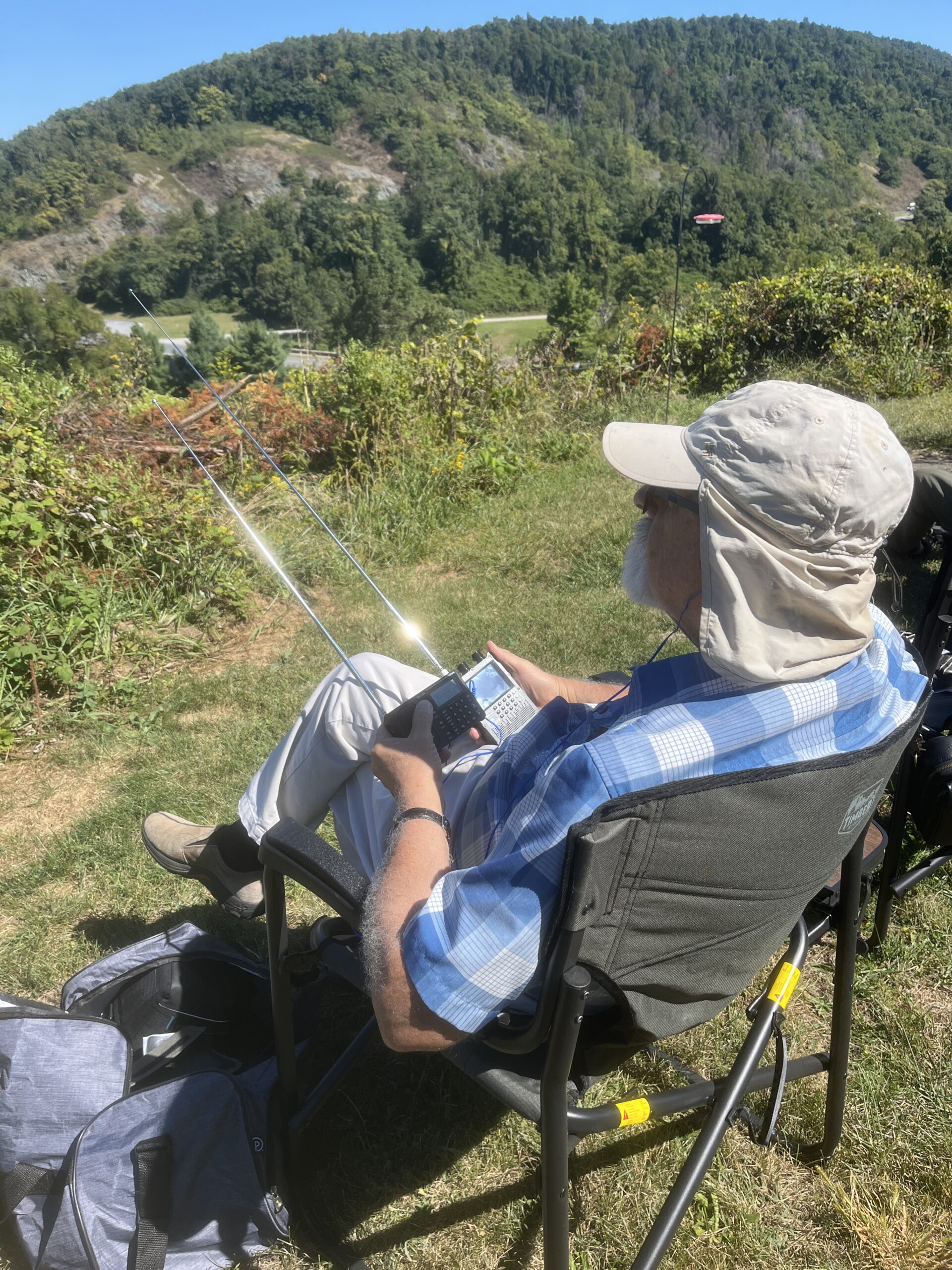
One thing my foray outdoors drove home was how useless the DP-666 display is outdoors. I had to find some shade to do anything that required the display. This was in stark contrast to the Qodosen DX-286 that was sharp and easy to read outside.
Firmware
The Sparkelec DP-666 is firmware upgradable. Mine came with a recent build including the Megatron mods that enable touch screen operation. The version is indicated on the startup screen.
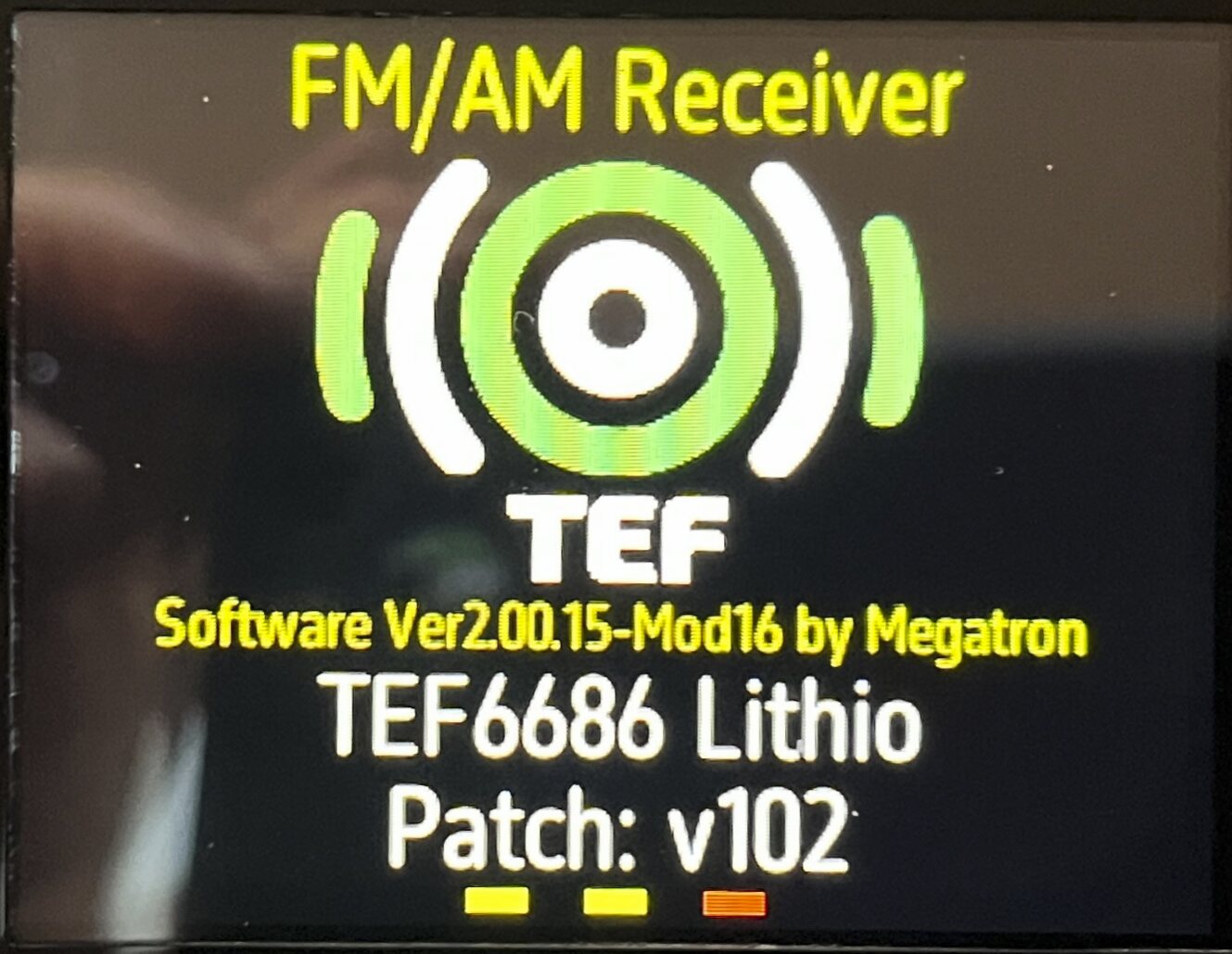
As with other projects like this, firmware upgrades are done from a computer over the USB port. For instructions on how to update the firmware, see Upgrading the Sparkelec DP-666 Firmware.
Operation
Operation of the DX-286 is familiar and straightforward for most normal usage, and there is a fine user manual to refer to for the more complex settings.
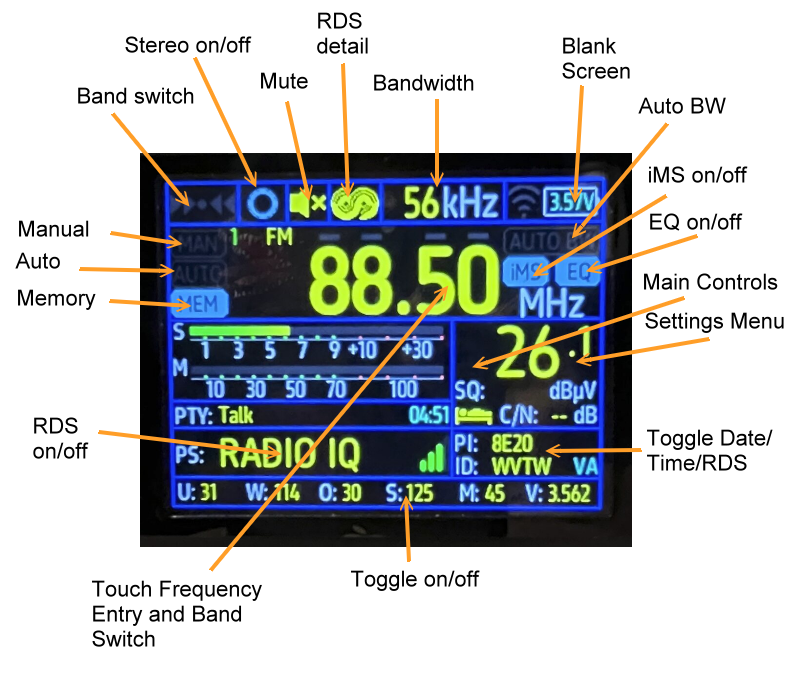
By contrast there is no manual from the Sparkelec DP-666; one must rely on hints dropped by the Deepelec folks, obscure comments on YouTube videos, and cryptic GitHub version modification lists (some in English). The buttons are fairly intuitive. I like the ability to just punch in a frequency and hit an Enter button; however the band has to be selected first. (The DX-286 figures out the band for you.) There is also a touch screen interface IF YOU CAN FIND IT! (Long press the Band button to enter, and short press the Band button to back out.)
Update: while this article was being written, a competing company, Deepelec, published a manual that is very rough and more like an outline, but nevertheless helpful.
For example there is this fellow shown on a diagram on the Deepelec site.
Where is it is hiding? It’s hiding under a completely blank spot on the screen. Many spots on the screen are touch sensitive, even blank spots may be sensitive. Here’s a map I created, not showing what the indicated items mean, but what happens if you touch them. The screen preceding is accessed by pressing a totally blank area (labeled Main Controls following) or long pressing the BW button. This diagram may be obsolete after the next firmware update.
In Part 2 I discuss reception, performance, audio quality and my final conclusions.
About quirks: thw 2485 is not a quirk. This is what AI telss about it:
Radio Exterior de España broadcasts on 2485 kHz, which is part of its shortwave frequency lineup for international audiences.
This frequency is used for transmissions targeting regions in Africa, the Middle East, and the Indian Ocean, operating from 15:00 to 23:00 UTC (17:00 to 01:00 local Spanish time) Monday through Friday.
The signal is known for strong reception in North America, particularly on the East Coast, with listeners reporting clear and powerful signals from locations such as Boston and Arkansas.
The transmissions originate from the Noblejas transmitter site in Spain, which is equipped with high-power transmitters capable of covering long distances without relying on relays.
AI’s are good for fact checking, but sometimes they just make stuff up. That’s the case here.
Radio Exterior de España does not broadcast on 2485 kHz according to their website (https://www.rtve.es/radio/20251026/frecuencias-radio-exterior-espana-2025-2026/16769762.shtml) nor is that frequency on recognized schedules such as EiBiSpace.de. I looked at the most extensive collection of reception reports I know of (HF Underground), and there is no report of reception of REE on this frequency ever. And a tropical band station would never traverse the Atlantic in the daytime like what I caught! Further I have tested and plotted these artifacts using a signal generator, independent of any external transmissions.
If you want a deeper dive on this, check out my article https://www.blogordie.com/2025/08/radio-ghosts-and-other-things-that-go-beep-in-the-night/. It has the signal generator test results and other examples.
I consulted 3 AIs and all confirmed that REE doesn’t transmit on 2485. Perplexity AI says:
For more technical background, see https://www.geeksforgeeks.org/electronics-engineering/aliasing-effect/.