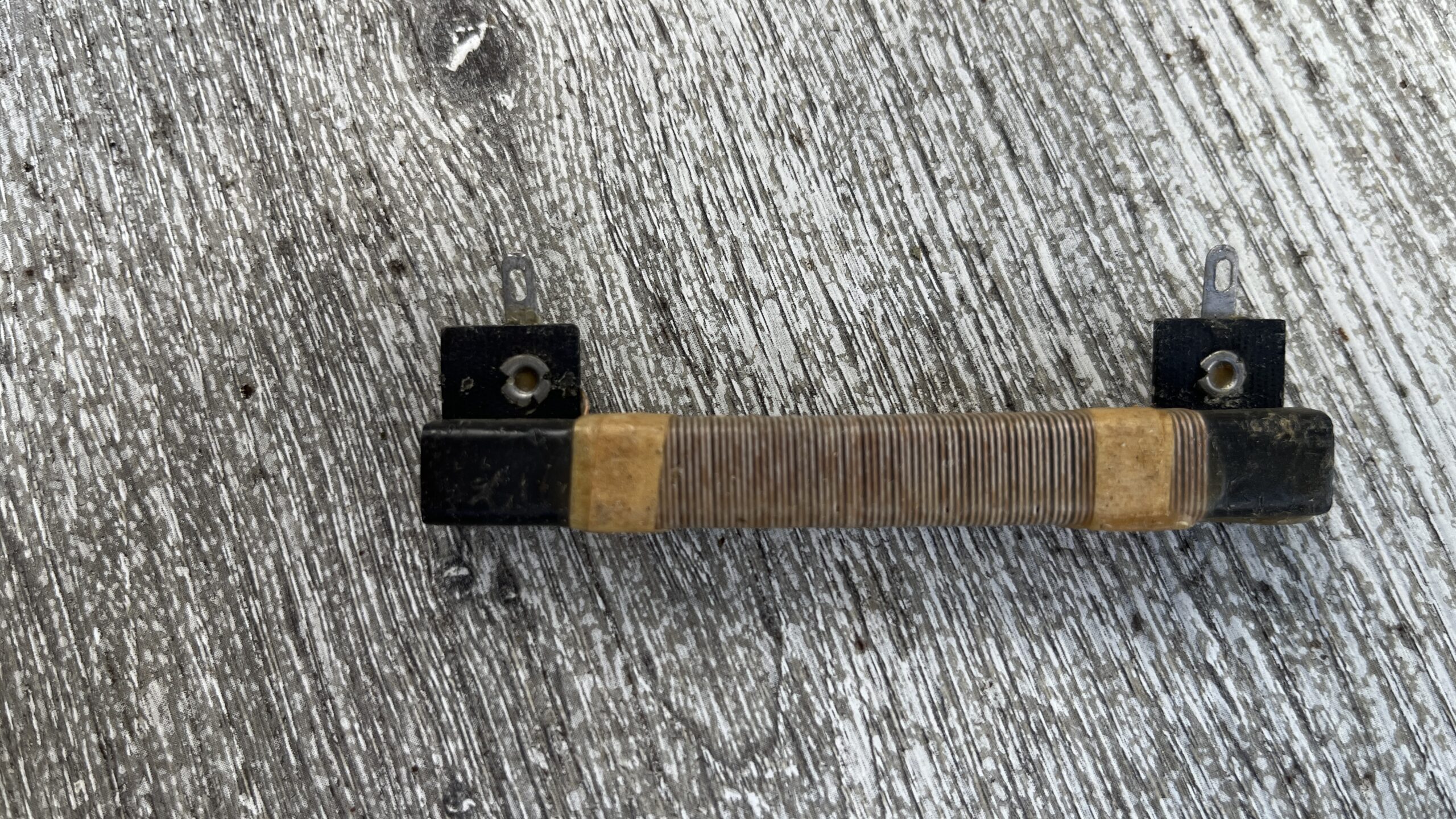
The fellow with the hard hat standing next to one of the three big power company trucks parked in front of my neighbor’s house said they were working on the transformer and the power would be off for a couple of hours.
Power Transformer case
For most people, the failure of electric power is an inconvenience, but this morning it was an opportunity to do some radio listening without the usual electronic noise blanket. I grabbed my accessories bag and two radios, hurrying outside to see what I could get. The two radios happened to be my almost constant companion Qodosen DX-286 and my Tecsun PL-330, recently featured in a Fred In the Shed video on the subject of what radio to buy at different price points.
Someone made a comment on the Official SWL Channel Facebook group:
So I’ve got the modern raft of DSP and SDR radios, just the same as anyone else. I was wondering whether, in 2025, there’s any point in picking up an older PLL shortwave radio. … Tell me, is there any real advantage to a dual conversion PLL shortwave portable over one of the flagship DSP based radios or an SDR radio in 2025?
Group founder Gilles Letourneau replied:
There is no real reason to get one, except that you want one.
A wise answer. He should know, given his vast experience with all types of listening on many types of radios — and I have no reason to dissent — but I just like to compare radios, so I want one, or two, or five.😳
I bought 3 of those older dual conversion PLL radios (used) this year partly out of curiosity, but mostly from nostalgia. The Grundig G4000A is one them; it’s a good radio but it didn’t outclass my modern DSP receivers like the Qodosen DX-286 on a visit to the park a while back (see: Grundig G4000A: Observations Part 2). I added two more, the Sangean ATS-909 and the Kaito KA1101.
I usually talk about radios I’ve used or intend to buy. This is is different, mostly about radios I didn’t and won’t buy.
Retekess V115
The Retekess V115 radio has been a very popular “starter radio” because of its low price. On “Prime Day” in 2015, Amazon sold it for a mere $16.09. It’s a basic MW/FM/SW radio with ATS, that adds an MP3 Play/Record capability. It’s powered by a BL-5C battery. The price today (9/20/2025) is $22.99 on Amazon.
Continued from The Battle of the Sixes: Part 1. In this part I discuss reception performance and audio quality, with my final conclusions.
Performance
MW
The first barrier in comparing MW performance is that the DP-666 doesn’t have an internal LW/MW antenna. I rummaged around in the parts cabinet and came up with one.
Ferrite loop antenna
Unlike my regular midday band scan, the antenna was rotated for maximum reception. The table where all this experiment is taking place has some sort of a resin top, not metal. WUP is my 20-foot wire up the tree antenna with an earth ground.
The table below shows all the stations listed by Radio-Locator.com as local to me and what their strength should be at my location.
Here are the DX-286 results (values in radio displayed dBμV):
Station
Frequency (kHz)
Signal Strength
External Ferrite
Internal Ferrite
Black Loop
Red Loop
WUP
WSVA
550
Weak
14
49
22
21
54
WSVS
800
Weak
17
42
40
42
48
WKTR
840
Strong
29
52
40
42
58
WKCI
970
Weak
15
0
7
5
32
WINA
1070
Moderate
42
53
30
29
59
WRVA
1140
Weak
20
40
13
11
44
WKAV
1400
Weak
0
0
0
0
25
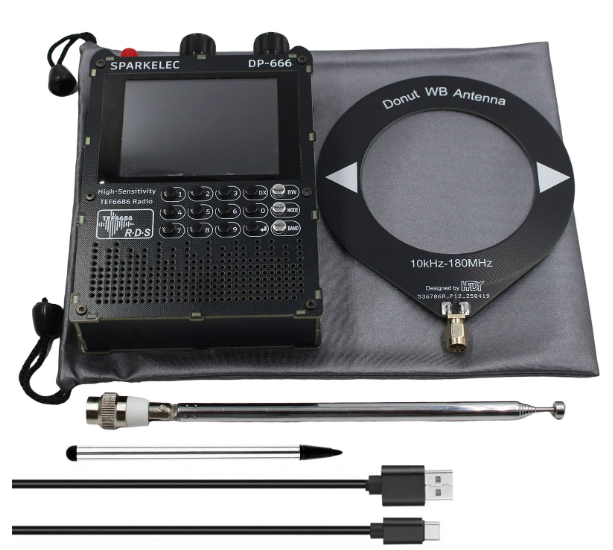
Black Donut Antenna with DP-666
Here are the results for the DP-666, noting of course that dBμV is not consistent across hardware, and a particular radio might measure it in different ways.
Station
Frequency (kHz)
External Ferrite
Black Loop
WSVA
550
40.5
40.1
WSVS
800
Birdie
16.3
WKTR
840
22.5
25.1
WKCI
970
0
0
WINA
1070
18.5
23.2
WRVA
1140
0
7.3
WKAV
1400
0
0
One conclusion here is to put my ferrite antenna back in the drawer. I thought those donut loops were useless, but apparently not; they were at least as good as the external ferrite antenna. The DP-666 appears to have an offset setting for the dBμV display.
What I observed was that the Qodosen consistently sounded better using the external loop.
LW
I normally use a wire antenna and an earth ground on longwave, so here is that same 20-ft wire up the tree (WUT) antenna for both. In the daytime, I can receive a few nondirectional beacons and at night I have received North Africa at the right time of the year (in February, 2025).
Both radios picked up the three local nondirectional beacons easily. There was nothing received from Africa after sundown.
FM
FM RDS is a feature common to both radios. RDS implementations are hit or miss on portable radios, partly due to the fact that there are two different standards, RDS and RBDS, the latter for the Americas. There are subtle differences. I wrote this up in more detail in my article: RDS / RBDS: FM on Display. The Eton Elite Executive came out on top in this review with the DX-286 following closely behind — both missing one bit of information (not the same bit). The DP-666 appears to have it all, not only the station call sign but the station PI code. This is the advantage of a radio like the DP-666 that is not constrained by a fixed format display.
In the Daytime Band Scan, the DP-666 got 78 stations and the DX-286 71. Of course conditions vary and those numbers are not significantly different. They’re both very good FM radios.
SW
Shortwave reception changes from moment to moment, which is why I appreciate a mute feature on a radio; it allows me to switch from one to the other instantly. The DX-286 has a mute button, and the DP-666 has a mute hidden feature (press the “0” key) in addition to touching a mute icon on the screen. Both of these radios are very capable on shortwave.
To start off, I want to show how good it gets. The following video shows reception of WRMI at 11:36 UTC, an excerpt from their Saturday Viva Miami program, 15770 kHz. Both radios were clipped onto my 20-foot wire up a tree (WUP) antenna. Somehow the Sparkelec got set to 3 kHz bandwidth instead of 4 kHz where the Qodosen was set.
I went out around local sun rise (1053 UTC) and hooked up my WUT antenna. I selected the first few stations. WWVH is barely audible on 5000 kHz (WWV strong). HCJB from Quito, Ecuador, on 6050 was enjoying gray line reception. Radio Rebelde was strong from Cuba on 5025 kHz. I think the station on 6165 kHz was China.
Since the DP-666 doesn’t have an antenna, comparisons for portable operation have to take into account the length of whatever third-party antenna is attached to the DP-666. The only SMA mounted telescopic antennas I have are longer than the one on the DX-286, so I can either put an extender on the DX-286 or shorten the SMA telescopic The latter is simpler.
I went outside around 19:30 UTC and tuned Radio Romania on 13780 kHz. It was a decent signal, but with some noise. I shortened the telescopic antenna on the DP-666 to match the DX-286 at 49 cm. I also had my Tecsun PL-330 with me that has what appears to be an identical antenna to the DX-286. I took them all out for a ride.
I frankly was surprised that the DP-666 really didn’t perform up to the standard of the other two. It was just not pulling in the station well. I lengthened the DP-666 and and held the radio in my hand, which improved it noticeably, but it still didn’t measure up.
I tried the DP-666’s noise blanker, but the OFF setting sounded pretty much like all the other values. I also thought the DX setting might have been off, but the DX button is for something else entirely.
It appears that the DP-666 holds its own with an external wire antenna, but falls far short with a telescopic one. This may be an impedance matching issue. A Qodosen representative commented on Facebook about the DX-286:
The antenna impedance for FM is 75Ω.
About AM (LW/MW/SW)band:
1. When using an external passive antenna or high impedance antenna, it is recommended to turn on the antenna amplifier (AMP ON).
2. When using an external active antenna or low impedance antenna, it is recommended to turn off the antenna amplifier (AMPOFF).
3. It is also suitable to use low impedance antenna when the attenuator is turned on, and different attenuation levels (ATT-XXDB) can be used to adjust the reception effect.
Finally I went back indoors and connected my MLA-30+ to each radio with an antenna switch in between. I didn’t have enough SMA patch cables on hand, so I used a short piece of 72 ohm coax with SMA adapters for the DP-666. The longish video below compares the two radios on Radio Romania, and then on CHU, Ottawa, Canada. The video highlights one useful feature of the DP-666, the Date and Time are both on the screen all the time.
Audio
I’m hearing impaired, which means I hear most things through hearing aids, devices that focus on the frequencies for speech recognition and not so much on music. When I listen to the two radios side by side, the DP-666 sounds crisper and the DX-286 a bit muddier by comparison (but I don’t find it muddy when nt comparing). The DX-286 has a speech/music setting that doesn’t do anything I can detect, perhaps because I don’t use the wide bandwidth settings.
Before I got started, I found that the FM de-emphasis on the DP-666 had become incorrectly set by the last firmware refresh. This is fixed. Both radios are using the automatic bandwidth setting.
Neither has an aux output port, so any audio connection must be made through the earphone jack. Notes with the Deepelec DP-666 say that there are separate amplifier circuits for speaker and earphones; that may apply to the Sparkelec model. It’s not specified for the DX-286.
With quality monitor headphones (Audio-Technica ATH-M50) I couldn’t detect any difference between the two radios after I cleared up a small problem with my homebrew A/B switch built decades ago; it reversed channels on one selection. With that fixed, things were good and I am happy to report that both radios correctly output the right and left channels. I listened to both classical and pop music from local FM stations and was pleased with the results.
FWIW, I added my PL-990 and some jazz to the mix. While it’s clearly superior with its internal speaker, on headphones it sounded the same.
Conclusions
Sparkelec DP-666
If you like tinkering, then the Sparkelec DP-666 is a bargain entry into this genre. It’s firmware upgradable with an active developer community behind it. It already has Wi-Fi that sets the radio’s internal clock from an NTP server and who knows what else it might do? On other radios of this genre, Wi-Fi is downloading program schedules and identifying shortwave stations. And in theory this one might do that or even decode CW and FT8 someday.
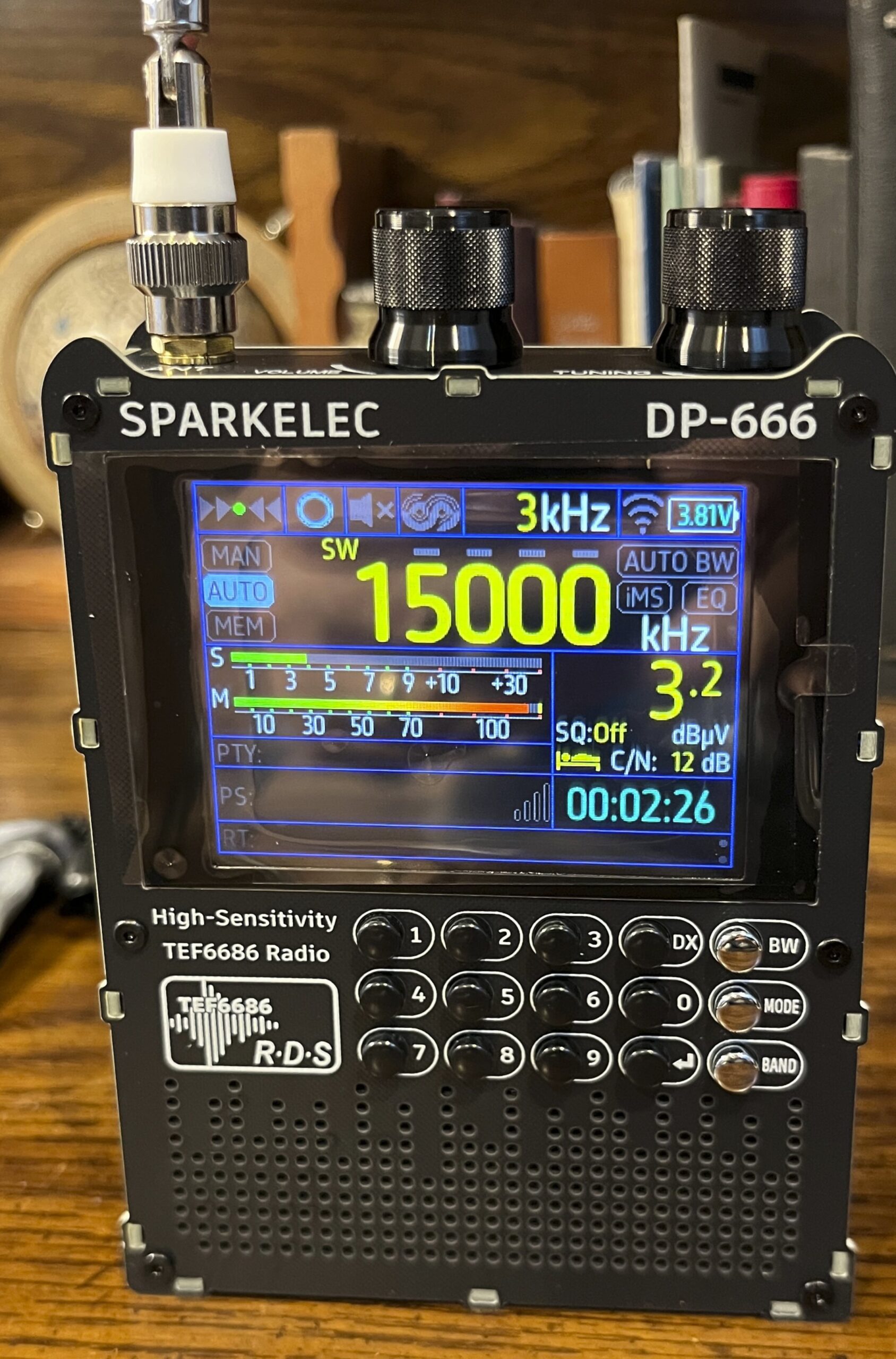
The display is well thought out and informative, but very hard to read outdoors. The radio is stable either vertical or flat, meaning one views it at an angle when one is seated and the table rests on a table. The screen looks somewhat readable in the videos, but that is because the camera is held level with the table, not where a human’s eyes would be. In bright sun, no angle works.
I have no complaints about the controls, and basic operations are easy to accomplish after becoming familiar with what to push. Documentation is pretty awful, leading to frustration in accomplishing advanced functions, and ignorance of what other functions exist. I wasted at least an hour on that non-existent AIR band and only figured out what was happening from a comment on YouTube.
It performs well, although it can overload on SW from strong local FM stations. Shortwave reception is up there with the well-regarded portable receivers with a long wire antenna, but falls seriously short on telescopic. (I don’t have a Sangean ATS-909X2 or Tecsun S-2200 to compare it with.)
One minor issue turns out to be significant, and that is that the radio won’t fit in your pocket and the telescopic antenna cannot be collapsed into the radio, but has to be removed. It’s not conveniently portable, not a grab and go radio, as was confirmed by my outdoor testing.
ATS is a looming question mark as to if, when and how it will work on shortwave.
Qodosen DX-286
The DX-286 is a polished finished product. It does everything well. It is compact and a great radio for travel. It’s ATS scans are the most accurate, fast and sensitive (adjustable) I’ve encountered, and in all my radio testing I use the DX-286 to find out what’s on the air to use for tests.
The display is easy to read in any light, although it can’t display everything it might at the same time. Reception is up there with the best radios and with an external antenna, LW and MW are remarkable.
The manual is complete and easy to follow. The DX-286 has many options, but they’re easy to understand.
Decision
I’m glad I bought the DP-666. It’s been fun. It’s fun to operate and it gets stations. But most likely, it will end up on the shelf with lots of other radios that are rarely used, while the DX-286 will be my go-to radio for daily use.
Addenda
So it’s been a few days since the article was published, and the DP-666 is on the shelf, and the DX-286 has seen considerable use.
It’s now been 2 months and the DP-666 is still on the shelf.
It’s now January 1, 2026. The DP-666 is still on the shelf and the DX-286 is next to me on the desk.
It’s April of 2026. The DP-666 is now in a tub with a bunch of other seldom referenced radios.
Postscript
I have radios in the “tinkerer” genre: an ATS 25 max Decoder, ATS Si4732 Mini (3 versions), SDR V6 and this DP-666. All of them were fun for a little while; they all deserve credit for the fantastic accomplishments of their developers. For me, I want to use a radio rather than having to follow updates, rely on inadequate documentation, and relearn its quirks every time I take it out. There are so many good radios out there. The one to pick depends heavily on the user’s needs and desires. I’m more a guy who wants a polished, finished package in a radio, where operation is as important as reception.
A Comparison of two radios based on the TEF6686 DSP chip
This post title was inspired by my new Sparkelec DP-666 radio based on the NXM TEF6686 DSP chip. That’s a lot of sixes. Here I compare two radios based on the TEF 6686 chip.
One is a mature product from the Chinese electronics industry designed by a highly experienced shortwave radio designer. The Qodosen DX-286 is a polished retail package with excellent performance. It has a clear, high-quality manual that explains each function of the radio, step by step. Controls follow function logically and efficiently.
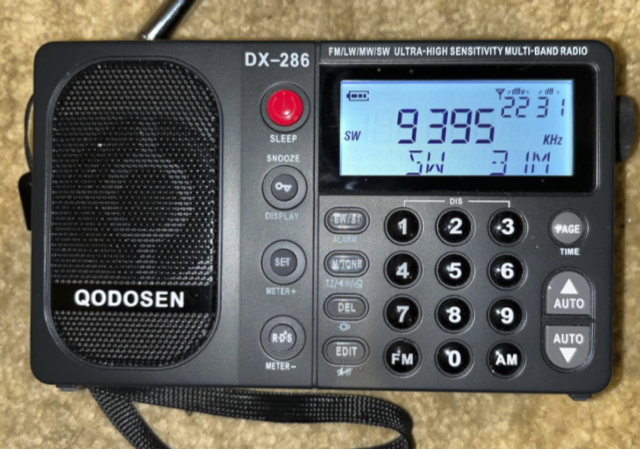
Qodosen DX-286 on SW
The DP-666 is an evolving experiment with multiple open source firmware packages, one that is made by competing clone manufacturers in multiple form factors. The user is left with very little go on sometimes and may spend hours searching for how to do the simplest operation. It is, nevertheless, a very capable radio with pleasing operation once figured out.
That’s my advice. There is a newer version with the Megatron M17 mods and I was led to get it from the Deepelec website. After installation, the new version showed a Deepelec logo when I boot the device, but more importantly M17 broke the mute button (the zero key). The mute becomes erratic and you have to push the button many times. This is awful for comparing two radios. I reinstalled M16.
I’ll revisit the decision when the mute button is fixed.
No posts for a while. I have two projects in the works and they aren’t progressing as fast as I would like.
One is a comparison between the Sparkelec DP-666 and my other TEF6686 radio, the Qodosen DX-286.
The other project is a comparison between 5 PLL superheterodyne models: Tecsun PL-660, Tecsun PL-990, Kaito KA1101, Grundig G4000A and Sangean ATS-909. The feature comparison is done, but I need a good bit of on-air testing.
AI generated content may appear occasionally in articles and will be denoted with the 🤖 [robot emoji] symbol. Content comes most often from Microsoft Copilot, but may also come from Perplexity, ChatGPT, Duck.ai, Grok or Deep Seek.