
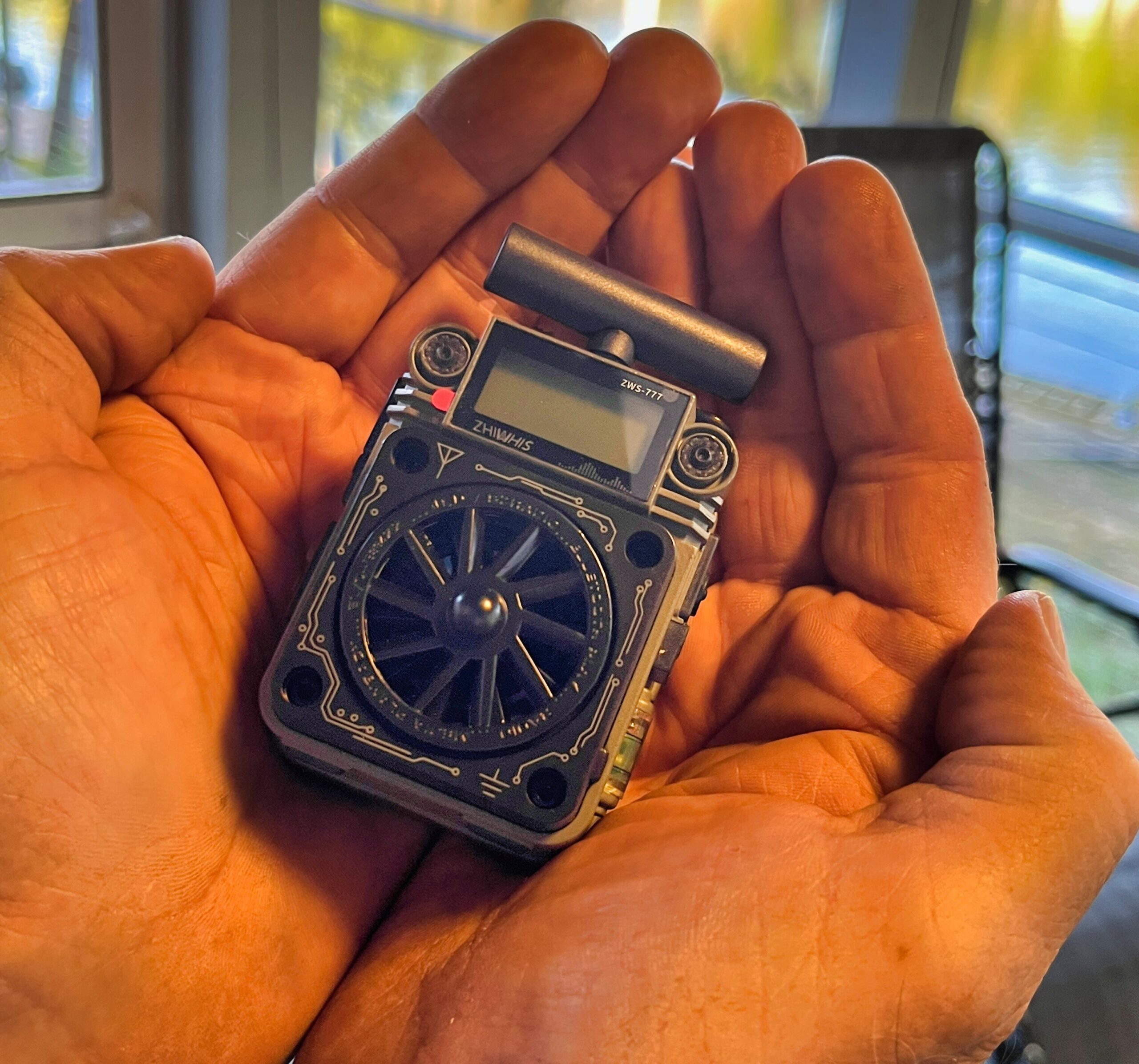
That was my first impression, how small it was. The case is metal and the device feels heavy.
My second impression was:

Let’s hit the rewind button and add some narrative. My package arrived a day early. This ZWS-777 was purchased from the Zhiwhis store on Amazon in “used very good” condition.” I validated the contents and almost everything was there, although the individual accessory packages had been opened previously and the radio was just flapping around in the retail box with the MW antenna plugged in and the screen protector still on. The special USB-C to 3.5mm phone adapter was missing, as was the “waterproof storage bag.”
Step 1: Turn it on. None of the buttons seemed to turn it on, and perhaps for the first time ever I went to a manual to find out how to power on a radio. The power button is on the left side, second from the bottom, by the way. Nothing happened. I tried the lock button (below the power button) and no joy. I took the battery out and put in a spare and the radio immediately lit up. A battery tester indicated absolute zero volts on the supplied battery. It’s charging now.
Back in Real Time
I tried an automatic band scan of the MW band with the supplied snap-in antenna (required for MW) and the radio selected 3 stations, which is reasonable for such a small antenna indoors in the daytime here.
There’s no weatherproof rating for the radio, but all the little openings have flaps or plugs for them.
The ZWS-777 (HanR0ngDa HRD-777, Raddy RF750 Plus) is app controlled. The multiplicity of functions paired with the paucity of controls make the app something owners should definitely take a look at. The app connected, once I figured out that the radio needed to be turned on 😲, and first thing I checked the firmware version: V1.59. The radio came out the end of last year, and that firmware version number hints to me that there have been updates.
Can it record? Apparently there is no control on the radio that starts recording radio programming to the TF card, but it can be done through the app. San — just press the record button in the app. The second question relates to recorded file naming; does it have the old HanRongDa sequential file naming convention, or is it the newer convention that includes that date and time, frequency and mode. It’s the old model, with the band prefixed: FM0001.mp3, FM0002.mp3. Oh well.
Controls?
This is a 4-band radio — MW, FM, SW (4.75 – 21.85), Weather — with ATS, sound equalization profiles, weather alerts, an SOS signal, clock, alarm, sleep timer, music play/record and Bluetooth play. How many controls does it have? It has 4: a power button, lock button, a gyro spinner and a joystick. Let’s just say that there is a great deal of function overload on those 4 controls. There’s at least one triple press sequence. More later in the review.
Speaker
I tried it side by side with the tiny HRD-701 and that had more bass. The ZWS-777 sounded crisp and was loud, but not amazing. Is there a mute button? There’s one on the app and on the radio a quick press of the power button serves as a mute. The Amazon product listing notes “super bass,” but I haven’t seen it.
Reception
I tried some FM. It’s not hugely sensitive, but the antenna is not hugely long, a little under 12″. I’ll do my regular midday band scan to get a better test on MW and FM. when I was changing bands I actually heard a shortwave broadcast (maybe on 4835) that was religious in content.
Light Show
A row of LEDs dance across the upper edge when playing music files. Bluetooth worked. Just as with changing bands, double-click POWER to switch to Bluetooth.
Tuning
The easiest way to tune the radio is to use the app. Apart from that, the joystick button on the top can be pressed left and right to change frequency. A long hold to the side starts an automatic scan for the next station. A double press from above starts ATS; a single press switches between frequency change and preset change. Pressing the lock button enables the spinner wheel on the front to change frequencies (front/back presses affect volume) and it’s surprisingly fast.
Manual
The HanRongDa HRD-777 pdf manual doesn’t cover the app, and also omits the memory card record feature. The paper manual included with the radio does include the app, so I’ll read more before I attack it. According to the manual, an “electronic” copy is available upon request and I requested one.