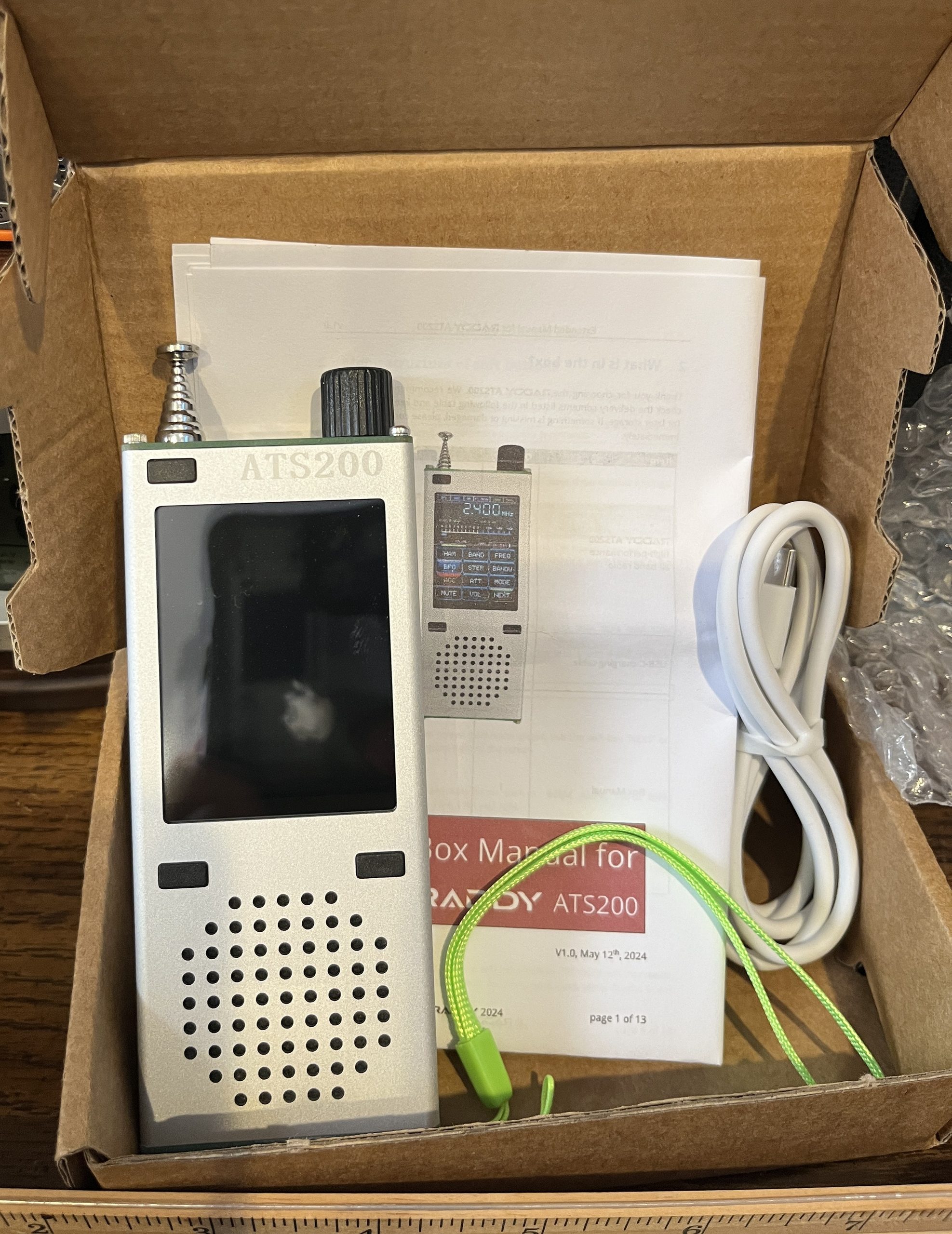
Not much in the box: USB C charging cable, ATS-200 radio in bubble wrap, manual and a detached high-visibility green wrist strap (which may require radio disassembly to install).
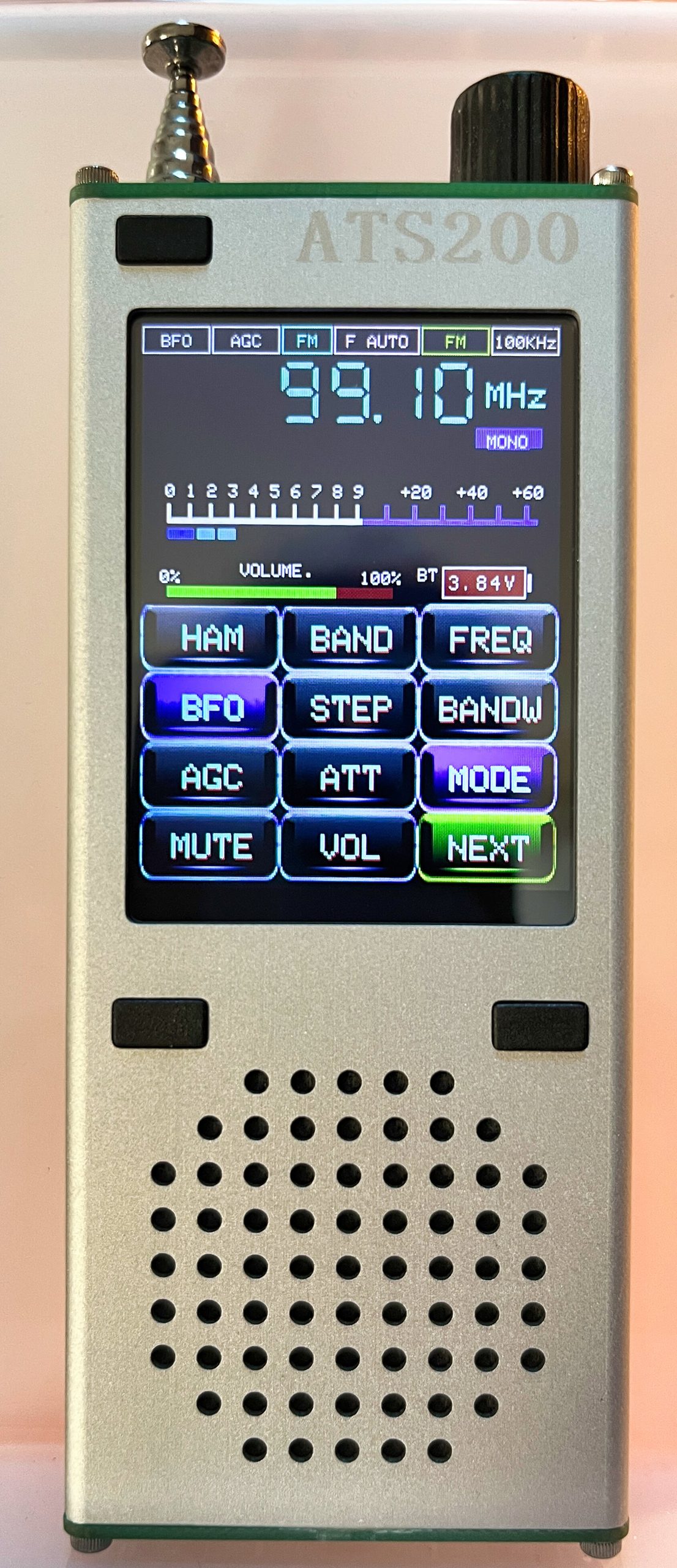
The first surprise (about which I was warned) is how small it is (137 x 50 x 20mm / 5.4 x 2 x 0.8″). It will protrude from a shirt pocket less than an inch, and most of that is the antenna stub.
The second observation is that there was no manual “book” but rather two sheets of paper folded up. And just to emphasize, the manual is superficial. For example, it has a section on “Settings” that describes none of them and advises the user not to change anything (I disagree). The section on “Bandwidth” says they can be changed and the values are different depending on band — but never says what any of them are.
The speaker sounds extremely tinny.
Operation
New User Tip: The upper left button (not by the speaker) is the power button and it takes significantly long press to turn the radio on or off (about 4 seconds). When it does come on, the user is greeted by a screen displaying the firmware version and some startup options (not mentioned in the manual).
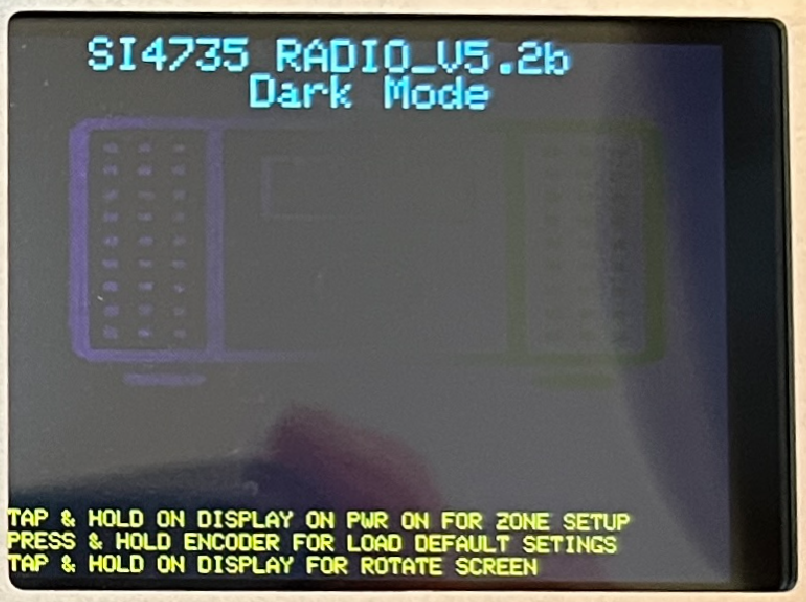
If a USB cable is connected to a computer on power-on, the computer sees it as a COM over USB port
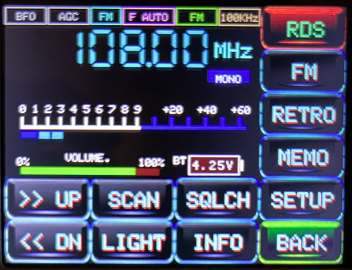
Apart from three unlabeled buttons and a knob, all of the operation is handled through the touch screen that I would describe as a menu system.
There is one spooky feature, the horizontal display setting. When you set this, the radio display looks like an ATS-25.
Bluetooth
I’m not quite sure what is going on here. When I turned on the radio, it connected to my TV, The radio went silent but its sound was not heard on the TV. The manual says “Bluetooth LE HiFi Stereo audio transmission and:
The ATS200 normally automatically pairs to Bluetooth devices that are in pairing mode. Short press the lower right button to disconnect a paired Bluetooth-Speaker/Earphone.
Use Cases
It could be considered an outdoor activity radio based on its pocket size and a couple of other notable features. First, the radio combines the earphone jack with the FM antenna, for local stations, the telescopic antenna can remain collapsed with the earphone wire doing double duty. The second is the rather unusual capability of being a Bluetooth transmitter, supporting cordless earphones as well as Bluetooth speakers. The speaker is only 1W, so the extra audio options are welcome. A lock function makes pocked operation more practical and there is even a flashlight. Raddy itself has a mission statement in line with this use, saying:
We all could use a little more time outdoors. When we get off the couch and take our eyes off the screen, we can see some beautiful things. Even when we are enjoying the outdoors it can be nice to have a few modern comforts.
I got out a Bluetooth speaker and turned it on. I had to tap the radio button to get it to pair.
On the other hand, it should work for more serious shortwave listening, boosted by a long 82cm (32″) antenna. It doesn’t seem to have a MW antenna inside, but there is a plug in the bottom for one — and I’ve accumulated a few ferrite rod antennas lately. Support for SSB and CW qualify it for SWLing. It has an S-meter on top of an RSSI and SNR numeric display. The LNA is switchable. AGC is switchable; there’s squelch, adjustable bandwidth and an attenuator.
Things that aren’t in the manual
- All of the settings, including the option to set the FM band start frequency.
- Does the telescopic antenna work on MW?
- The FM soft button.
- In order to get FM RDS to display, go into settings and UNCHECK “RDS only FM button.”
Generally, ignore the FM button. This what Google AI said:
…, the code treats the FM button as a dedicated macro or shortcut to load the City Preset Application. Every single time you press it, the firmware executes a hard reset back to its baseline parameters—re-loading 87.5 MHz and retrieving the hardcoded European text slot. Because it is designed to strictly launch that preset sub-app, it overrides whatever manual VFO parameters you were just using.🤖
Things that appear broken
- The FM button (see above).
Things done right
- A 10 kHz step option is available on the CB band. It’s remarkable how many radios with CB bands don’t have the standard step as an option.
Things that could have been done better
- I have a 20-year old Pocket PC from Dell. It has a tiny slot on the side to store a supplied stylus. That would have been a nice addition here.
- ATS band scan and store included
Questions
1 Does WiFi work? There is a setting t0 turn it on.
First Impressions
The radio seems competent. I like a flashlight. The manual is a disaster. The lack of firmware updates for 2 years is a problem in a product that advertises updatable firmware. The encoder skips sometimes.
My guess is that this goes into the “little radio” box sooner than most new arrivals. Check back for the full review.