Disclaimer: Qodosen provided me with this radio to test. I like it just as much as the SR-286 that I paid for myself and have written about extensively.
This is not a product review because it is essentially the same model as the SR-286, so the review of that radio applies to the DX-286. The difference is in packaging, small firmware updates and a much improved product manual. All that follows.
Unboxing
The predecessor SR-286 didn’t come in a box. That’s remedied in the new model. I’ve decided to link to an excellent unboxing video by Andre from the SWL YouTube channel. One shouldn’t mess with perfection. Andre has some cool videos showing what he can receive in South Africa on an interesting variety of radios.
DX-286 Unboxing on the SWL Channel
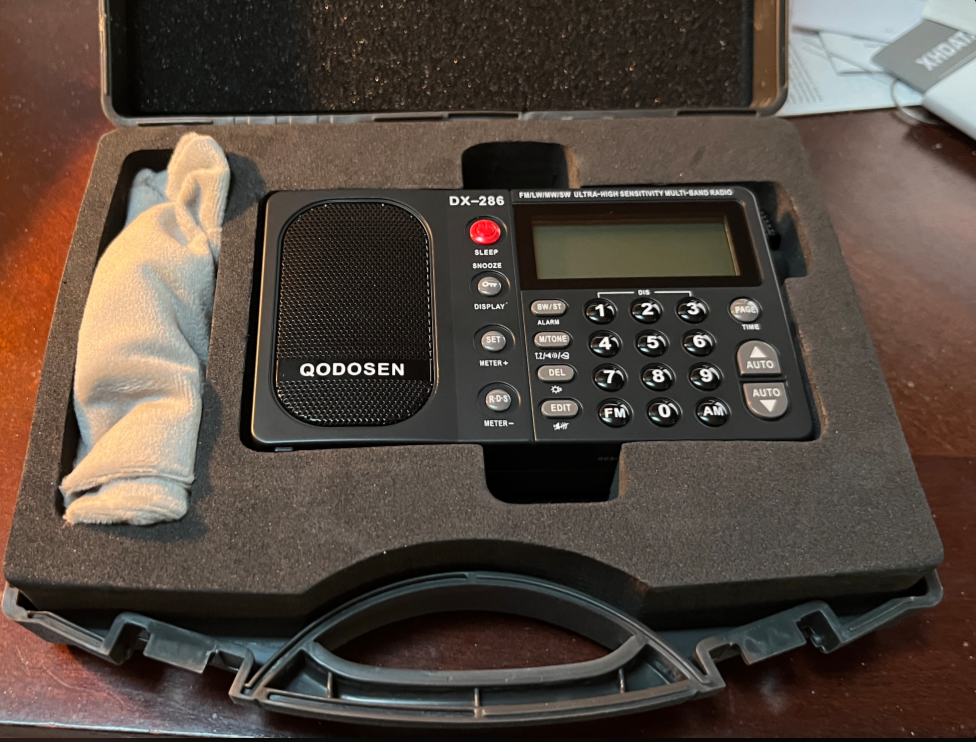
But not only does it come in a nice box, it also comes in a very nice hard-body case! The case looks large in the picture but it’s no wider than a Tecsun PL-990 radio without a case. This should be great for travel.
It was a mere 6 months ago when I wrote a very similar headline: Incoming Radio! Qodosen SR-286. I bought that radio because it looked interesting, it looked different, and there weren’t many others around (I like to be an early adopter sometimes). I wrote several articles on it both because I liked the radio and because there wasn’t much information out there already.
That leads to the disclaimer:
The Qodosen company noticed my articles. They contacted me and offered to send me the new model DX-286. They asked me to share my opinion about it. They didn’t ask me to write about it and they didn’t ask me to say nice things about it, but the reader should know that I didn’t buy this radio with my own money.
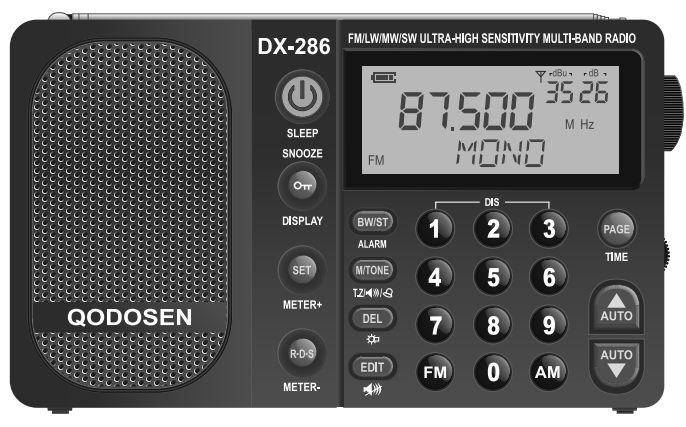
DX-286 Photo from Product Manual
The DX-286, according to Qodosen is physically and electronically the same radio as the SR-286 with the difference in packaging and firmware. The SR-286 didn’t come in a box, just wrapped around with bubble shipping envelopes. It didn’t come with a manual; I had to find that online, and the manual was what I would call a rough draft. The new one comes with a box and a manual. Neither comes with the 18650 battery.
This is what Qodosen says about the two radios:
Before the official version of the DX-286 (with complete packaging) was launched, the SR-286 radio has always been sold in a customized manner, only circulating in a small circle of enthusiasts; all are produced and delivered after pre-ordering, and there is no packaging. During the group purchase period, enthusiasts did indeed suggest that they hope to add AIR/SSB functions, but because adding these functions require a large amount of R&D time and hardware costs, and enthusiasts hope to get customized version radios as soon as possible, we did not add AIR/SSB functions after comprehensive consideration. We have rich design experience in SSB/AIR and will collect suggestions from enthusiasts in the future to try to meet their needs.
I want to follow up on that bit, “We have rich design experience in SSB/AIR.” The principle designer of the SR-286, Deping Zeng, was also the designer of the Eton Elite Executive that has AIR, SSB and SYNC detection.
Since this article was originally written, Qodosen introduced a mass market version of their radio, the DX-286. The DX-286 and the SR-286 are physically identical, only with differences in firmware, documentation, packaging and price.
Introduction
The Tecsun PL-330 is a well-respected radio. I’ve had mine for two years and it’s traveled across the globe with me. The Qodosen is brand new, with powerful reception on some bands and interesting features. Which one is the best? I’m a Gemini and I’m of two minds about everything. The best choice depends on what you value in a radio and here I hope to give you enough to help make up your own mind.
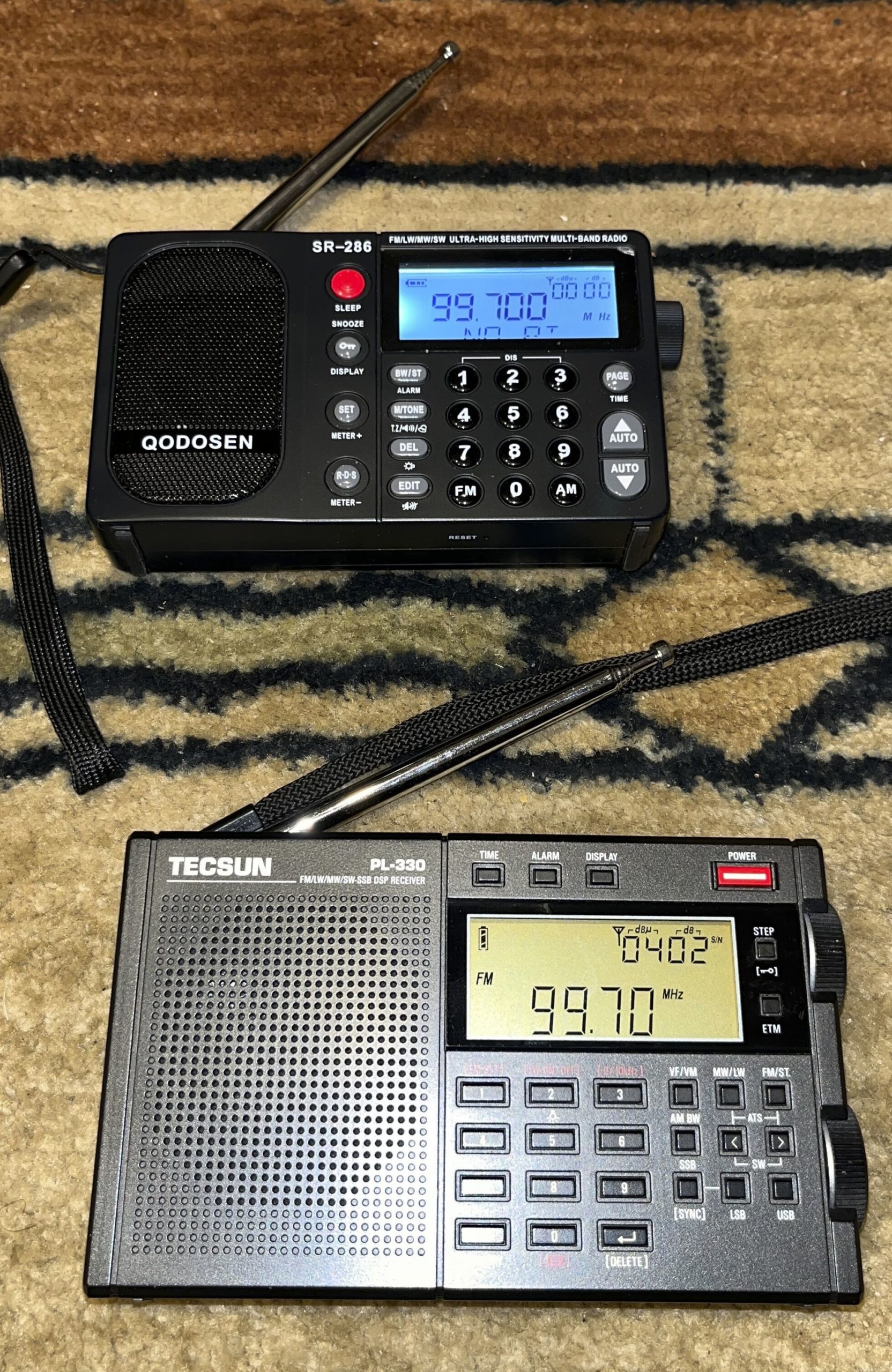
Qodosen SR-286 (top) and Tecsun PL-330 (bottom) – Click to expand
The Big Picture
There are some important feature differences and they might be make or break in your decision, so let’s get them out of the way first:
Things the PL-330 has that the Qodosen SR-286 does not:
SSB
Synchronous detection
SW coverage from 27 to 29.999 MHz.
BL-5C rechargeable battery
Things that the SR-286 has that the PL-330 does not have:
FM RDS/RBDS
Kickstand
18650 rechargeable battery (not included)
Squelch
Both charge with a USB Micro cable, and neither has a thermometer.
The PL-330 is the choice for a shortwave listener. The SR-286 is a powerhouse on MW/LW/FM and on those bands the lack of SSB doesn’t matter.
Update: Since originally writing this article, I’ve added an ATS25 max-Decoder with RDS. I’ll add its features to the table.
The Radio Broadcast Data System (RBDS),1 as it is called in the North America, or simply RDS in the rest of the world, is a protocol for embedding data in an FM/VHF broadcast. The data can include the station name, program content and even the time of day. I have three radios that display some of this information on the FM band, some better than others.
RDS information is divided into segments, some of which are displayed on one or more of my radios:
PS: Program Service Name – may identify the station
PTY: Program Type – comes from a fixed list including things line NEWS or SPORTS
RT: Radio Text – this is a 64-character string of text that could provide more information about the station, program, or the title and artist of a song being played
DATA or CT: Time and date. May also include station call sign.
PI: Program identification: identifies the station with a regionally unique 4-digit hexadecimal number. Codes for the US can be found at the National Radio Systems Committee page.
It would seem that there are three practical uses for the radio enthusiast:
Identifying the station
Identifying the program content
Setting a clock
Features and differences
Here are my four radios and what they can do:
Segment/feature
ATS25 max-Dec0der
Eton Elite Executive
Qodosen SR-286
XHDATA D-808
PS
Y
Y
Y
Y
PTY
Y
Y
Y
RT
Y
Y
Y
Y
DATA
Y
Y
Y
PI
Y
Set clock
Y
Y
Y
Y
RDS/RBDS setting
Y
Y
RDS Off/On
Y
Y
Y
Radio Model RDS Capabilities
Clock setting for these radios is either Manual or Automatic. In Automatic mode, each of these radios automatically sets the clock from RDS data when it is received. I consider the feature useless because stations do not always have the right time; for example, one local station didn’t “spring forward” and update their time for Daylight Savings Time.
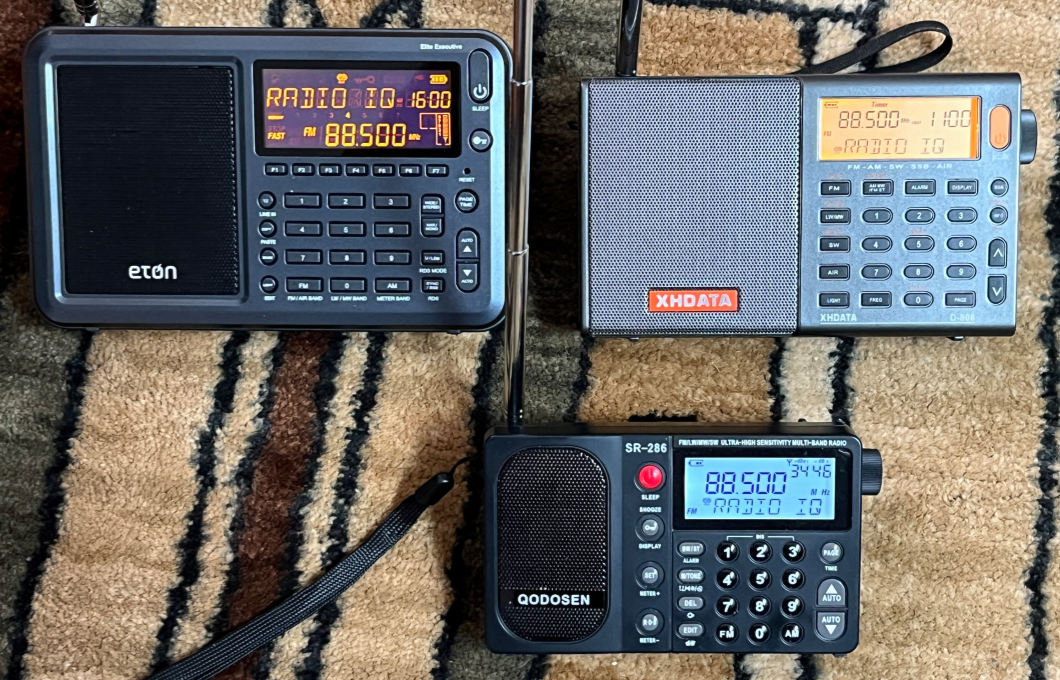
Each radio has a button to select which segment to display: it’s the [R·D·S] button on the SR-286, [RDS MODE] on the Elite Executive and [INFO] on the D-808. The RDS feature has to be turned on explicitly on the Elite Executive by pressing the [RDS] button or the [PAGE] plus [R·D·S] on the SR-286.
RDS vs RBDS
Differences exist between the two implementations; for example, the DATA segment is supposed to indicate the station call sign in RBDS, but not RDS. Also the Program Type codes are different.
Only the Qodosen SR-286 has an explicit setting for the mode. We’ll test to see if the other radios figure it out correctly. The Wikipedia article footnoted at the end has full technical details.
Testing
Testing is made more complicated by the need for a strong signal to get RDS information, inconsistencies in what radio stations actually include and the fact that information is not always available immediately. It may require a one-minute wait for the DATA segment to be broadcast during which the radio may display “NO DATA” (the D-808 will display “NO DATE”). I was misled to think none of my local stations had time data by not waiting long enough.
Note: the SR-286 manual has a mistake, saying that repeated presses of the [R·D·S] button cycle through PS/PTY/RT/DATA/PI. It actually displays them in the order, PTY/PS/RT/DATA/PI.
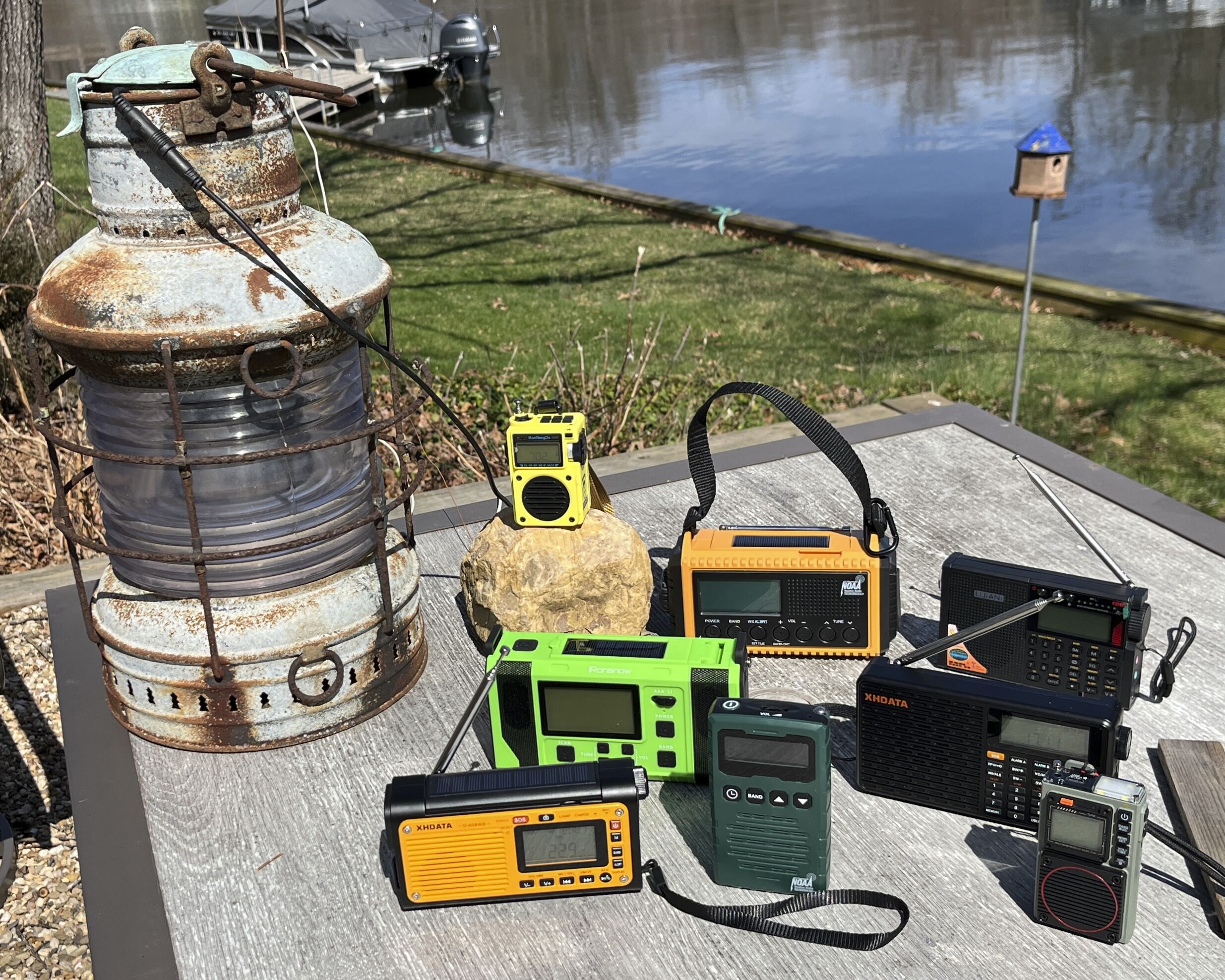
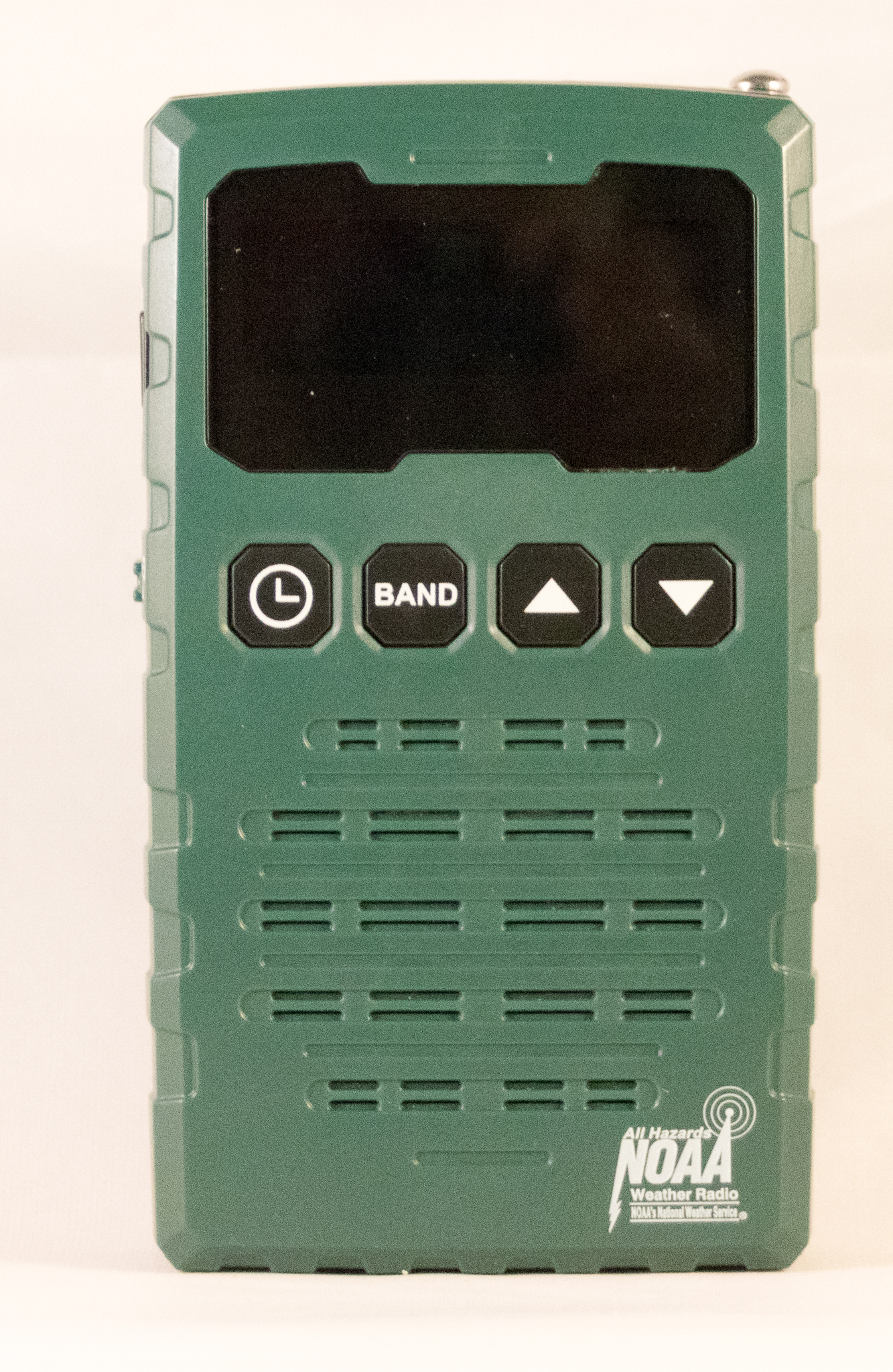
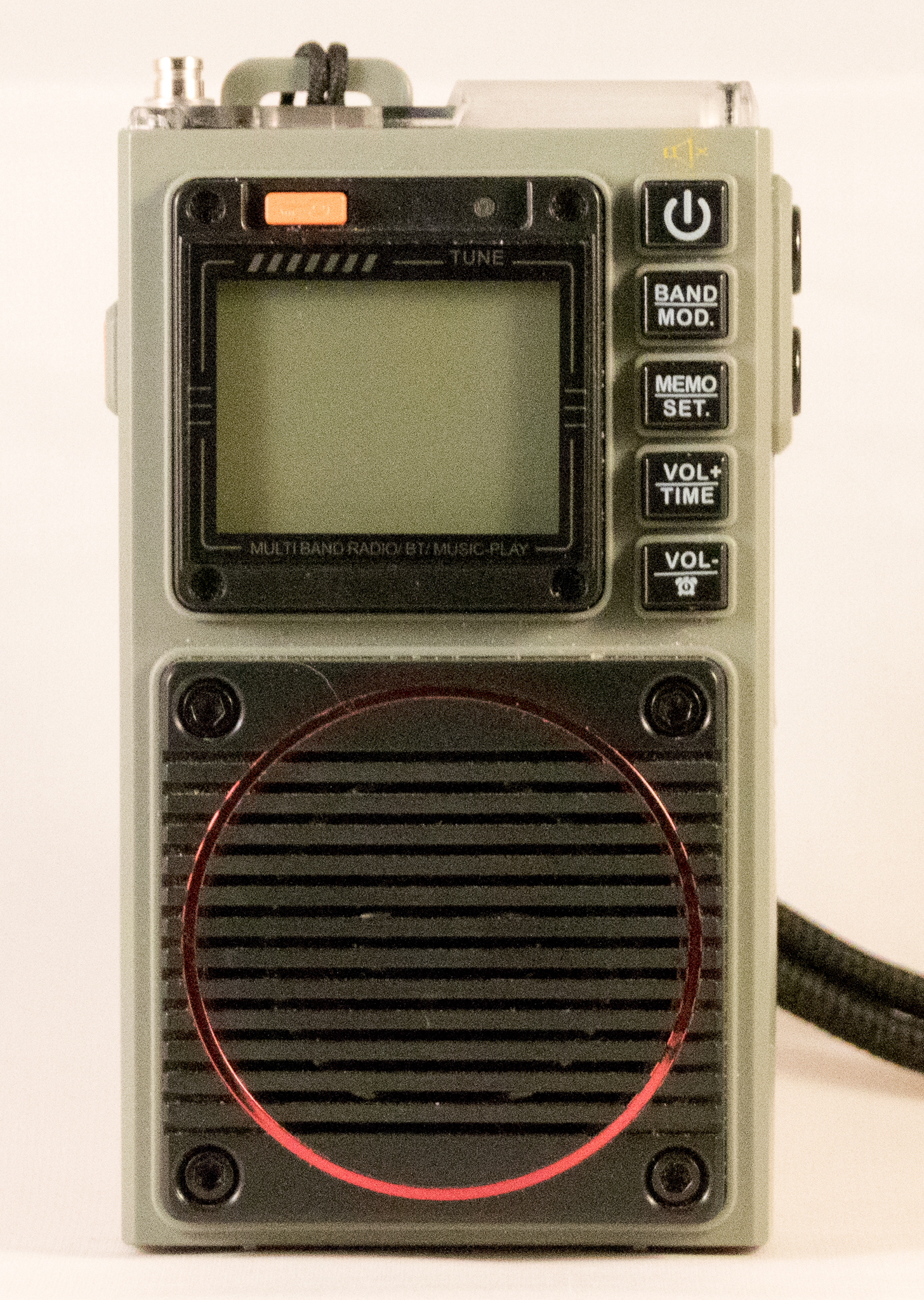
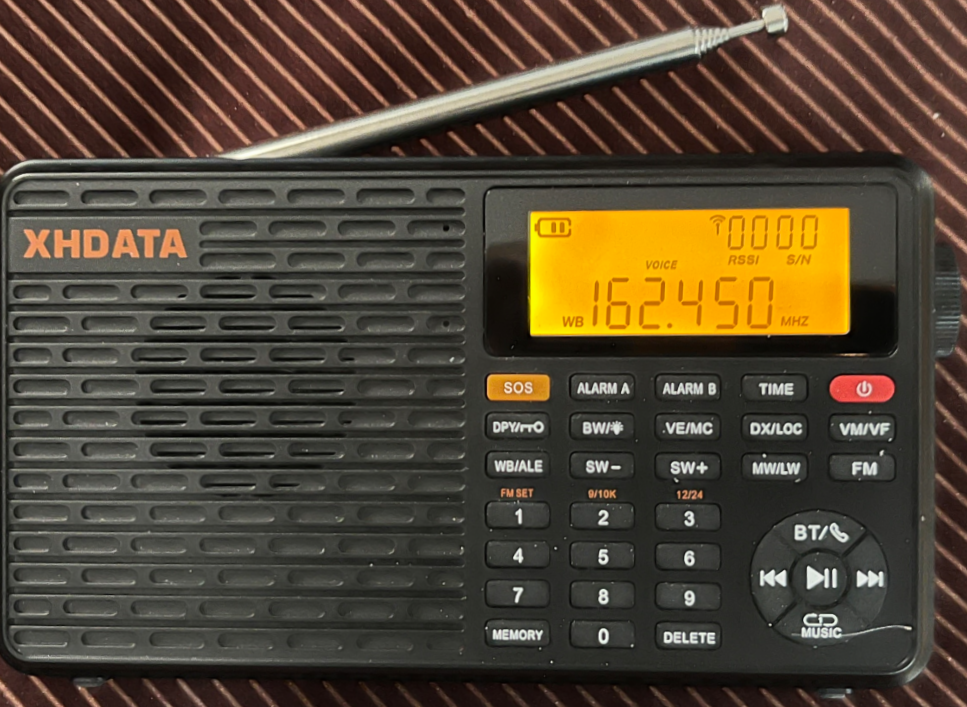
Weather radios are an interesting genre of radio. Some of them are specifically designed as emergency radios and some are general coverage radios with a weather feature added. I seem to have accumulated 8 weather radios. Here’s the photo array:
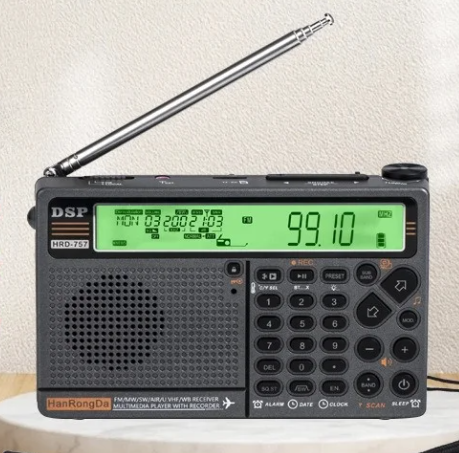
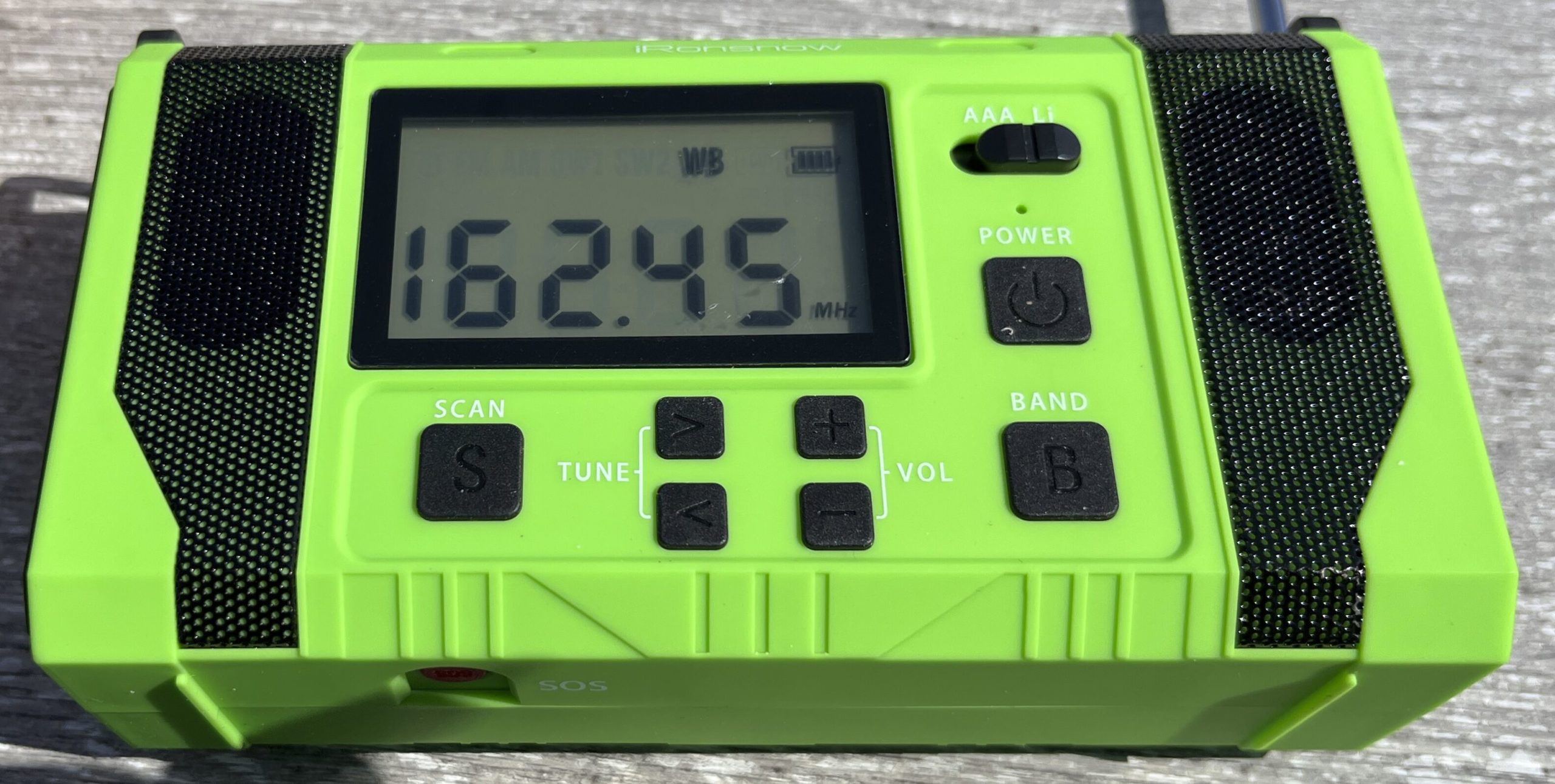
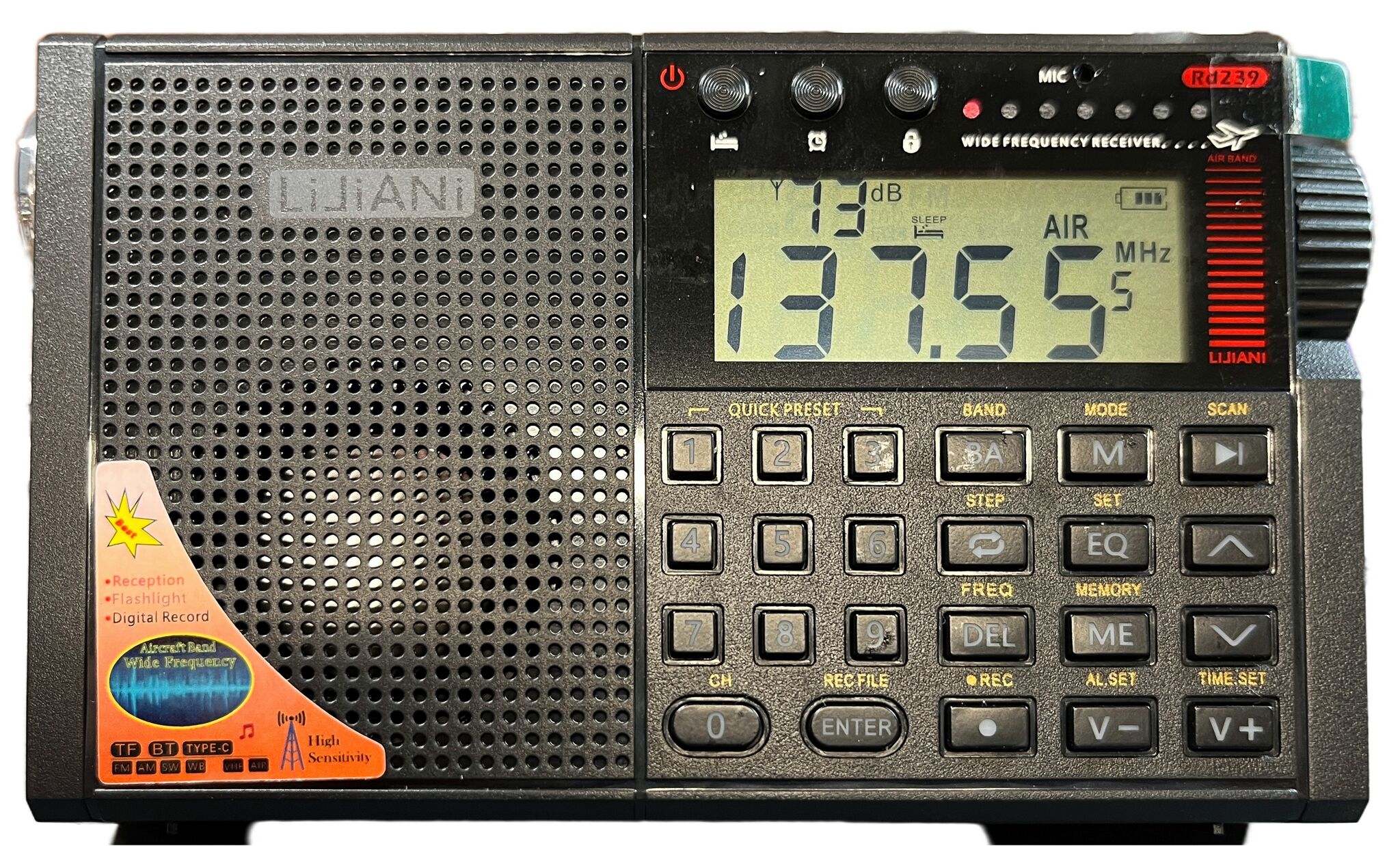
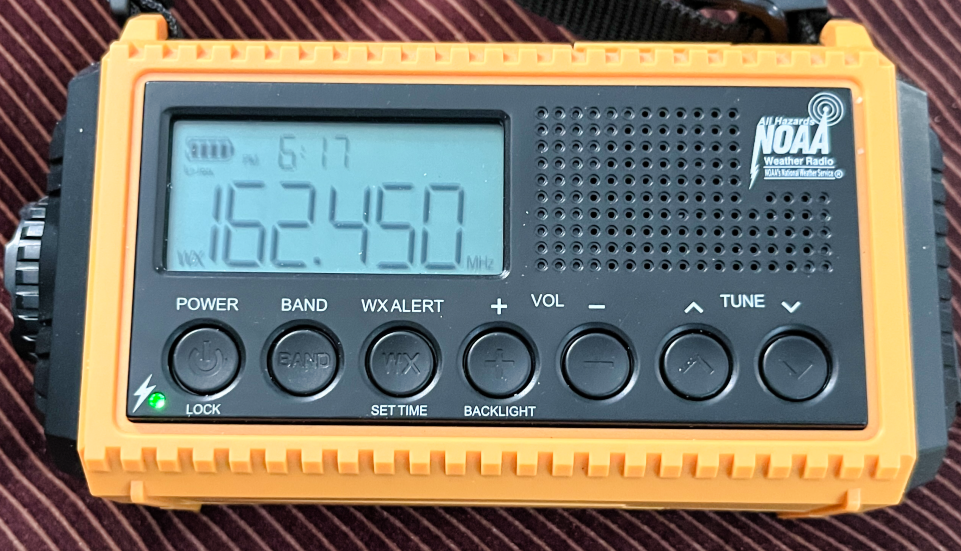
Top row: HanRongDa HRD-701, Mesqool CR1009 Pro, LiJiANi Rd239 Second row: iRonsnow IR-688, XDATA D-109WB Third row: XHDATA D-608WB, Mesqool CR1015, Raddy RF75A
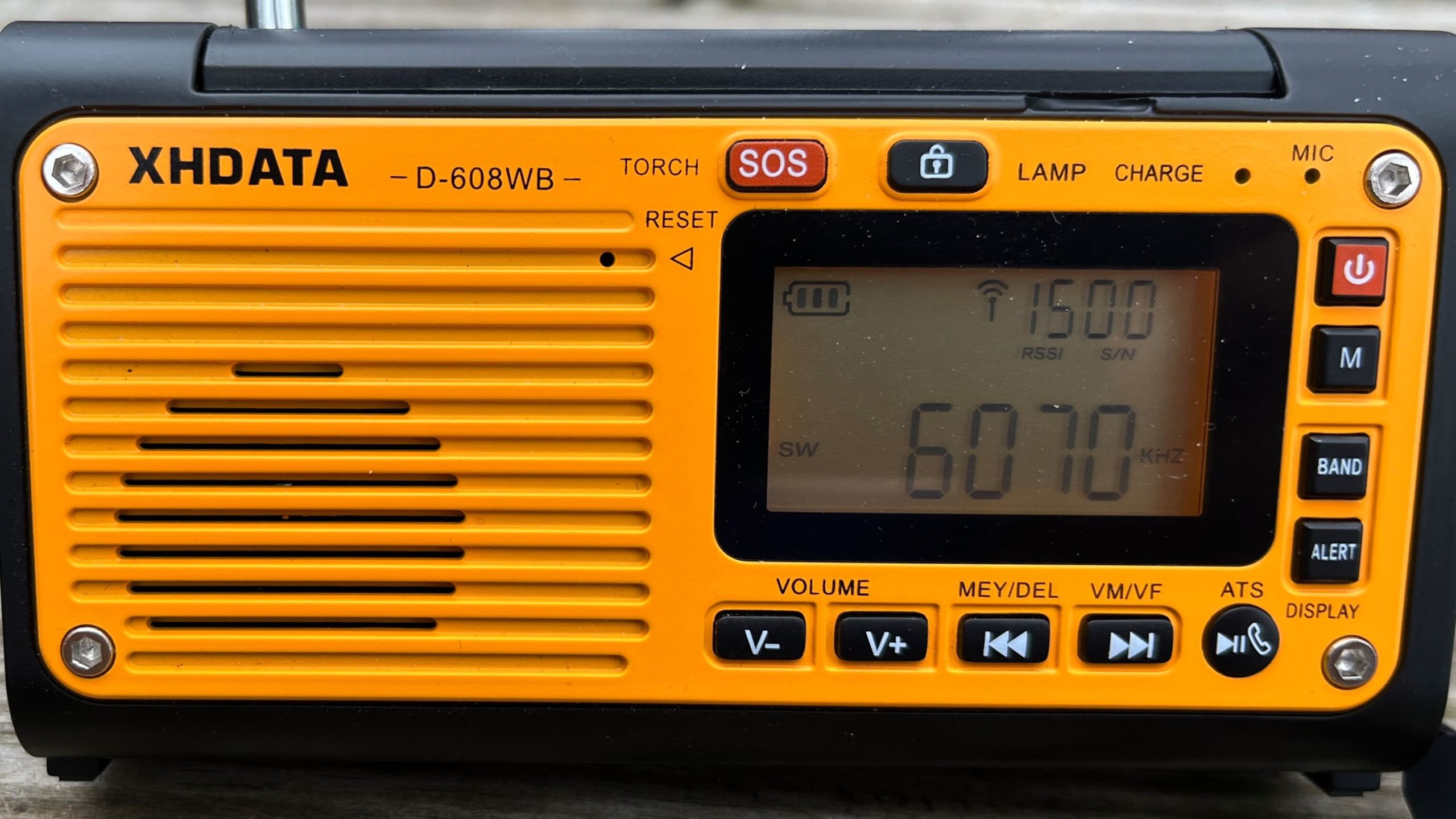
Disclosure: XHDATA provided me with a pre-sales version of D-608WB in exchange for my input on their product manual. The radio tested here may not be the final version. I am under no obligation to review the radio publicly or to say nice things about it.
I used to own a Eton SolarLink FR360 weather radio, but it got wet and died. I had a really nice Kaito KA600, but its case got all sticky and gooey and it went somewhere (not sure). The radios tested here are on the low end of the emergency radio market. The Mesqool CR1009 Pro and the iRonsnow IR866 have been donated to Goodwill and replaced with a Zhiwhis ZWS-2415. (Looking at my Amazon order history, it looks like several weather radios ended up at Goodwill.)
For those outside North America or have no experience with weather radios, this is what one sounds like when receiving an alert:
Weather Alert
It seems to me that one can break the weather radio genre down into to groups: emergency radios and general purpose radios that also receive weather band. In the emergency category, one looks for a radio that receives weather alerts (which all of these do), one that receives local broadcast radio stations and one that has a big battery to power it (and maybe something else) when the electric power goes off. The general purpose radios need to be good radios in general.
Review of the contestants
Naturally this calls for a big table of comparable features:
Feature
CR1009 Pro
D-109 WB
Rd239
D-608 WB
RF75A
CR1015
HRD-701
HRD-757
IR-688
ZWS-2415
LW
Y
MW
Y
Y
Y
Y
Y
Y
Y
Y
Y
Y
SW MHz
2.3 – 22
17.11 – 29.999
3.2 – 29.999
17.11 – 29.999
4.75 – 21.850
2.3 – 23
4.5 – 21.850
3.2 – 30
3.2 – 22
3.20 – 21.95
FM
Y
Y
Y
Y
Y
Y
Y
Y
Y
Y
AIR
Y
Y
Y
VHF
Y
Y
Y
Y
UHF
Y
Alert
Y
Y
Y
Y
Y
Y
Y
Y
Y
Y
Flashlight
Y
Y
Y
Y
Y
Y
Y
Reading Light
Y
Y
Y
Y
SOS
Y
Y
Y
Y
Y
Y
Battery Type
21700 and 3 AAA
18650
BL-5C or 3 AA
18650
Internal
3 AAA
BL-5C
18650
Internal 3 AAA
Internal
Battery Capacity (mAh)
5000
2000
2000
3000
1000
2500
10000
10000
Solar panel
Y
Y
Y
Y
Y
Hand crank
Y
Y
Y
Y
Charge phone?
Y
Y
Y
Y
Power
USB Micro
USB-C
USB-C
USB-C
USB-C
ATS
Y
Y
Y
Y
Y
Y
Y
Color
Orange
Black
Black
Yellow
Gray
Green
Yellow
Black
Yellow
Alarm
Clock only
Y
Y
Y
Y
Y
Y
Y
Weather proof rating
IPX3
IPX4
Bluetooth
Y
Y
Y
Y
Y
Y
MP3
Y
Y
Y
Y
Y
Y
Records
Y
Y
Y
Price 3/13/2024
$35.00
$46.50
$55.90
$40.50
$46.74 coupon
$20.00
$38.77
$72
$34.99 coupon
$34.64 coupon
Scroll for more radios
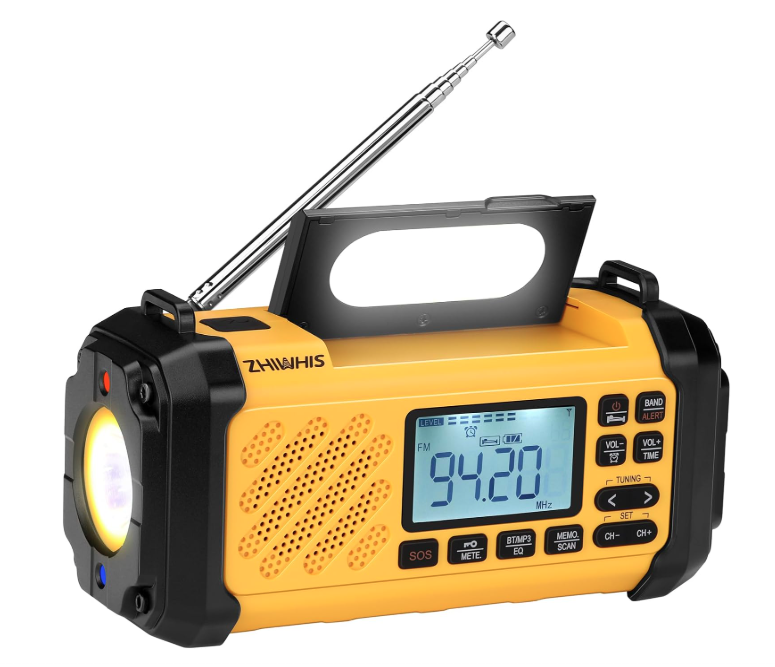
Zhiwhis ZWS-2415
Zhiwhis ZWS-2415 (Amazon product photo)
We begin with the alphabetically challenged Zhiwhis ZWS-2415. It’s unique among the contenders because it combines the emergency format with a VHF band. It checks all the emergency radio boxes in terns of charging and alerts, but leans some into the general radio feature category like ATS. It also pushes the music area with Bluetooth, MP3 play and equalizer settings. And it has the flashlight, reading light, solar charge, crank charge and SOS siren stuff characteristic of an emergency radio.
So as an emergency radio, this one rates highly with a reasonably large 10000 mAh battery. That should give me too full charges on my iPhone. It’s IPx4 weather resistant.
It was the most sensitive of the lot on weather band, receiving my local KZZ28 plus some signal from 3 other stations. On FM, the performance was incredible, equal to the best FM radios I have ever tested.
The addition of a METER band button greatly speeds up tuning on shortwave.
While the speaker bass response is not competitive with the HRD-757, it can be turned up very loud and has good midrange performance, not at all tinny.
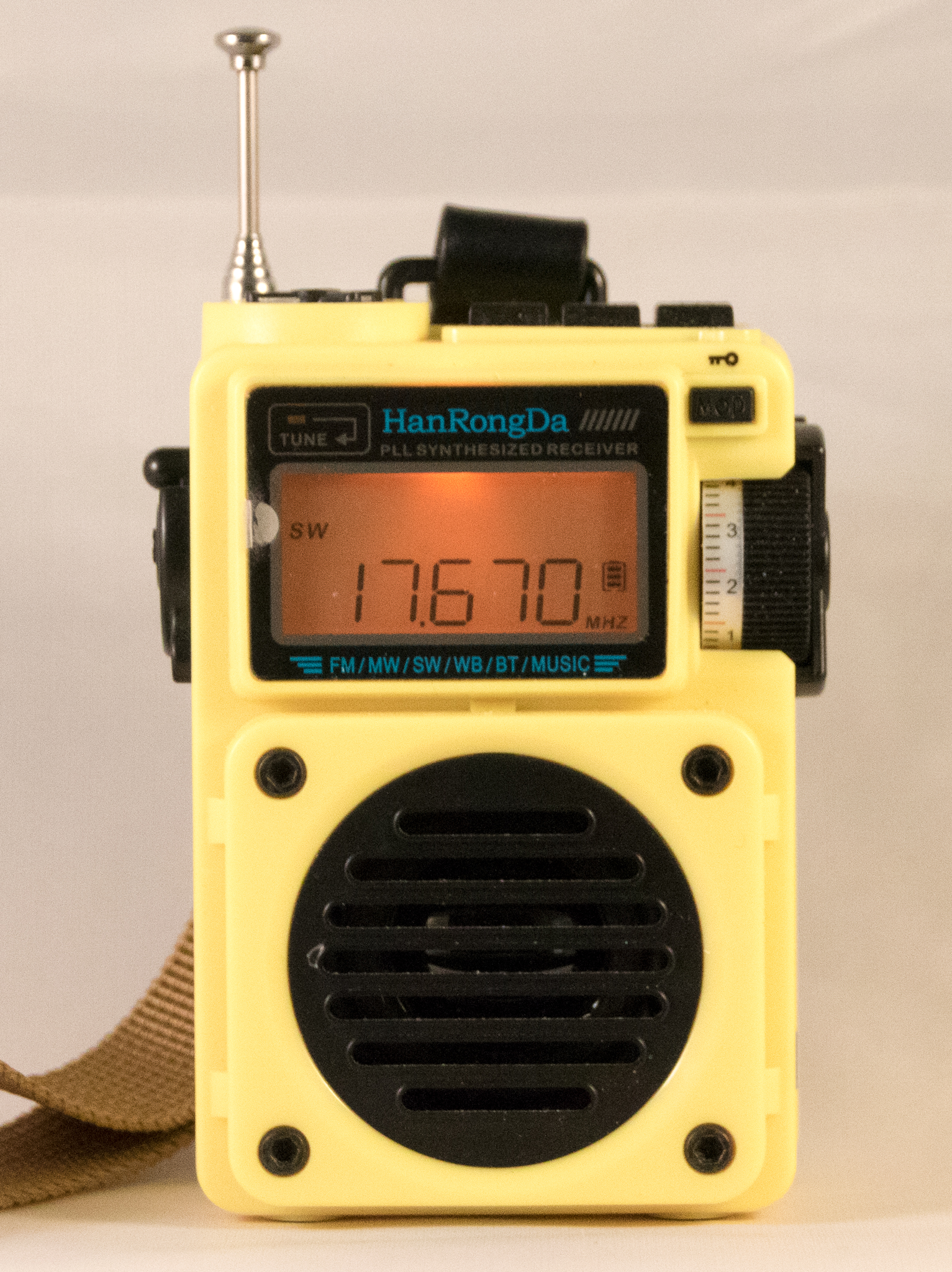
HanRongDa HRD-701
HanRongDa HRD-701 AM/FM/Shortwave/Weather radio with MP3 player
I don’t really think much about the HRD-701 being a weather radio, but it is and it is yellow. Weather alerts worked and it gets the weather station well. This tiny radio does quite a lot of things, but it is not an outstanding performer.
HanRongDa HRD-757
This is another Swiss Army Knife radio, sporting flashlight, MP3, Recording and VHF/UHF in addition to weather alerts. It has a very good sounding speaker.
iRonsnow IR-688
I picked this one up on sale in hopes that it would become my actual weather alert radio, to sit on the window sill and warn me of emergencies. I introduced it in,Before the battle: iRonsnow IR-688. It’s your basic moderately high-capacity battery weather radio adding shortwave and stereo speakers (very small stereo speakers). It’s not a great performer on the broadcast bands, but it picked up the local NOAA weather station with ease. For shortwave, a clip-on antenna will be mandatory. Weather alerts work well.
LiJiANi Rd239
The Rd239 has its own article: LiJiANi Rd239: A different radio. It’s an interesting receiver, notable for user-installable firmware updates and wide frequency coverage (MW/SW/FM/VHF/AIR/WB). It’s also Bluetooth, MP3 and has a flashlight and reading light. It can also record from the radio. It’s fairly sensitive. It’s no slouch on weather band and the hazardous weather alert works.
Mesqool CR1009 Pro
This is one of my older weather radios, but it’s still available. When I received the first one, I noticed that when I tuned up it would skip MW stations that it found when tuning down. I figured that it was defective and sent it back for a replacement. The replacement had the same problem PLUS another problem where the weather broadcast volume would suddenly drop for a few seconds and come back. Needless to say, this is not one of my favorite radios. Also, the only tuning method is with a pair of buttons and tuning around shortwave simply takes forever. There is no station memory. It’s redeeming feature is a 5000 mAh 21700 battery and a solar panel. I’m donating it to charity.
Mesqool CR1015
Mesqool CR1015 weather radio
This radio was almost a giveaway. Amazon bundled it withe CR1009 Pro for something well under $10, so I bit. It’s not a bad radio for what it is. It shares the tuning problem with the CR1009 Pro, taking a very long time to get anywhere on shortwave. But weather alerts work. Its manual says there is a clock, but there isn’t. It doesn’t perform well on MW and FM.
The radio was discontinued shortly after mine came out, and a new version appeared on the Amazon product page. It has a rechargeable battery in it, supposedly a clock, and some station memories for under $20.
Raddy RF75A
Raddy RF75A radio / Music player
This one is tiny, very much a shirt pocket radio. It has wide coverage with MW / SW / FM / AIR / VHF and Weather. Weather alerts work. It also has a flashlight. It’s claim to fame is an accompanying mobile phone app that can control it, including setting the frequency and initiating off the air recording. It’s better than one might expect on MW and FM is in the middle. It too can play MP3 and has Bluetooth.
XHDATA D-109WB
The D-109 WB is the weather band version of the XHDATA D-109. It’s the only one in the group with longwave. It supports MP3, and answering your phone. This is one of the better performing radios in the group although it is reported to overload badly in the presence of local broadcast stations (not a problem where I live). It’s also one of the nicest to operate in most respects, although I don’t like the automatic variable speed tuning knob. It failed the weather alert test by frequently giving false alarms.
XHDATA D-608WB
This is the newest kid on the block, for sale only a few days. XHDATA sent me one in exchange for advice on improving their manual. I rewrote it and I hope they will use some of what I sent them. This radio does lots of things right and even though it doesn’t have direct frequency entry, it is able to skip through the shortwave bands, and it has an effective scan feature. Mine is defective causing it to be deaf on FM (I read somewhere this was an issue in pre-production units). It failed the weather alert test by giving false alarms. XHDATA’s excuse was “we can’t test it in China.” It has a nice speaker, by the way.
Weather alerts
All of the radios in this review have a weather alert feature: they periodically scan the weather band listening for a tone of 1050 Hz and play an alert siren to alert the user. Today (Wednesday) is the day when the NOAA weather station in my area does its test, so I set up all the radios well in advance of the test to ensure that they all worked — only some worked a little too well: both of the XHDATA entries, D-109WB and D-608WB, gave false alerts.
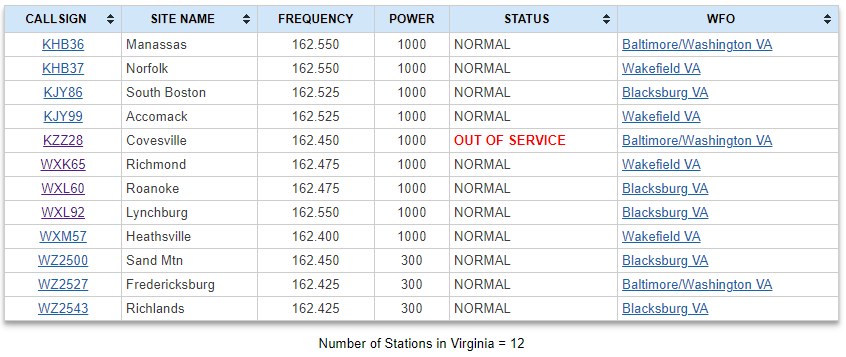
It turns out that there was a low-volume tone overlaying the weather program that the XHDATA radios picked up on. Check out my article, Thinking About the New XHDATA D-608WB, for details. After working a few days, the D-608WB false alerted again. The alerts are just too loud and a false alert could happen any time of the day or night. For this reason alone, I consider this radio, and the D-109WB unsuitable as a weather alert radio. Keep in mind that my local NOAA weather station is not the best, for example, this is the NOAA status on January 31, 2024, as I write this:
The station isn’t totally out of service but the buzz is louder than the voice. This is not the first time the station has gone wacky.
The weather alert feature requires the radios to remain on at some level to scan for the alerts, draining the battery in the process. Optimally, a solar-equipped radio placed in a window could gain enough energy to keep it going indefinitely. I haven’t found such a radio. The CR1009 Pro comes close, running some number weeks before running out of charge in the summer time (less than a week in winter). My calculations suggest that the D-608WB will only scan for a little less than 2 days before a recharge is needed. I’m running a test of those two. The other radios in this clash lack solar. Leaving the external charger plugged in all the time is an option, but radio manufacturers generally recommend disconnecting the charger after the battery is full.
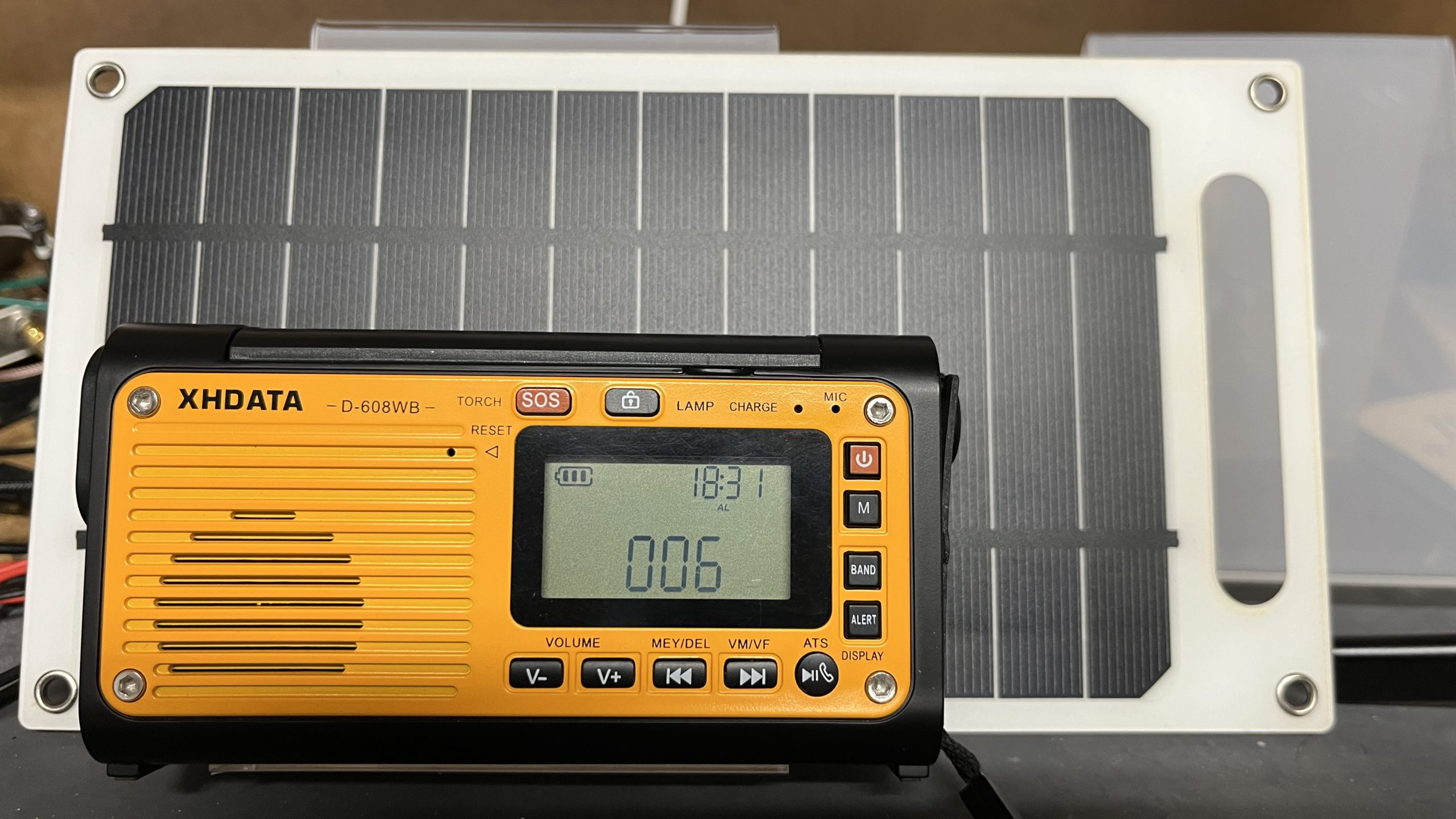
That doesn’t prevent the use of an external solar panel, such as is shown below. A solar panel automatically goes off at night. Batteries and solar panels seem to be advertised with exaggerated capacity. The panel in the photo us supposedly 1000 mA at 5V. I don’t think I’ve ever gotten that much, but what I got is more than enough to charge most radios.
All of the radios in this article, except the CR1015, have the capability to be charged externally through a USB cable, so the solar panel may be an option. I’ll be testing that ongoing.
I made an attempt to measure the battery drain by the weather alert function:
Radio
Alert current drain
Battery Capacity
Battery
HanRongDa HRD-701
50 mA
1000 mAh
BL-5C
HanRongDa HRD-757
2500 mAh
18650
iRonsnow IR-688
n/a
10000 mAh
Internal
LiJiANi Rd239
60 – 100 mA
1020 mAh
BL-5C or 3 AAA
Mesqool CR1009 Pro
n/a
5000 mAh
21700
Mesqool CR1015
n/a
(750 mAh)
3 AAA
Raddy RF75A
n/a
1000 mAh
Internal
XHDATA D-109WB
60 mA
2000 mAh
18650
XHDATA D-608WB
70 mA
3000 mAh (18650)
18650
Current measure drain in weather alert mode
The radios with no measurement either cannot be powered externally or cannot operate with the battery removed. Battery capacity is reported with the battery shipped with the radio. Higher capacity batteries could be installed in all but the Raddy RF75A and iRonsnow IR-688 that do not have a user replaceable batteries.
Performance
Here are the performance numbers for each of the radios using my midday band scan. If you had a weather emergency, you might actually want to listen to local radio.
The Winner?
It’s the Zhiwhis ZWS-2415. I excluded the Mesqool CR1009 Pro because the weather program was garbled and the XHDATA models because of the false alarms. That left the iRonsnow as the only other emergency radio standing and it’s downrated on broadcast radio performance and ease of operation. The ZWS-2415 also has the best weather resistance rating.
If it weren’t for the false alerts, I might have chosen the XHDATA D-608WB. It’s an attractive and compact package. While FM didn’t work on my review unit, others say it works well, and MW was very good. It’s a decent radio. The inconvenient tuning makes it sub-optimal for shortwave listening. It also has Bluetooth and some bass response on the speaker.
If I wanted to pick the “best radio that has a weather band,” then it’s a tossup between the XHDATA D-109WB and the HanRongDa HRD-757. The XHDATA D-109WB is a good radio, sensitive, and with full HF coverage. It’s also the only one with LW. It has a good memory system and is easy to tune. It has emergency radio features, and uses an 18650 battery. False alerts are a negative. The HRD-757 is less friendly operationally, although that’s less of an issue with has app control. It has bass response, UHF/VHF, Air Band and no false alerts.
I have a new radio this week, an iRonsnow IR-688 emergency radio.
iRonsnow emergency radio (photo by author)
I bought it on sale for $34.99 from Amazon, not to collect or to test, but to sit in the window and get weather alerts. It did arrive, however, in time to participate in my Thunderous Clash of the Weather Radios.
I don’t plan to make an in-depth review because while it does receive shortwave, it’s not particularly useful in the genre both for lack of sensitivity and because tuning takes a very long time. Todd Erbert has a fine YouTube video for someone interested in deciding whether or not to buy one of these. His conclusion is that it’s not worth it unless maybe on sale for $35 or less.
Several of my radios are capable of receiving weather alerts, but only 3, including this one, that could be classed as emergency radios: solar charging, crank charging, flashlight, SOS siren, high-capacity battery and the ability to charge other devices. The other two didn’t work out for me.
The iRonsnow IR-688 has an advertised 10,000 mAh charging capacity that is provided by 2X 5000 mAh (without disassembling the radio, I can’t say what the two batteries are, but 21700’s are a good bet). Todd Erbert measured the capacity and concluded that the batteries actually totaled 8000 mAh, but that is still a lot.
It reminds me a lot of my old Mesqool CR-1009, but that’s not worth detailing. The important bits are:
Advertised 10,000 mAh reserve power (or 8,000 measured)
Solar charging
Crank charging
SOS siren
Flashlight, flood light and reading light
Digital display
Can be powered by 3 AAA batteries
Permanently attached battery door
Handle
Can charge external devices (USB A jack)
Charged via USB-C, but not with USB-C power distribution chargers. USB-A cable is supplied.
Stereo (2 speakers)
ATS memory
It’s advertised as IPX3, defined as:
IPX3 is a water resistance rating that means a device is protected from sprays of water up to 60°. The equipment being tested must not experience any harmful effects from the water being sprayed at it from any direction.
There is an easy way for water to get in the battery door, so don’t spray it from the back or leave it in the rain.
The radio seems to work and I received stations on all bands. FM stereo was nice for such small speakers, but nothing to write home about. This radio suffered from a lot pop with everything you did when using headphones. Headphones were OK otherwise, but not outstanding.
The manual is extremely brief, although the radio isn’t complicated. One warning left me pondering: “In case of a crash, please directly dial “AAA.” It would seem more normal to dial “911” but maybe China is different. The radio has auto tune storage (ATS) that scans the full bands, not just broadcast frequencies, turning a long process into a painfully long process. There is no specification of how many memories are supported. It seems to be at least 30 per band.
There are two shortwave bands: 3.2 – 10 MHZ and 10 – 22 MHz. Why two bands? Given the painfully slow tuning, it helps a little to get to a closer staring point. It also gives more ATS memory slots.
In testing, I found the performance good on FM, about average for the radios I own. MW was essentially useless. It only weakly received my strongest local station during the daytime, although it did pick up more at night.
The burning question is how long it can stay on the window sill in weather alert mode supplemented by the tiny solar panel.
I’ve never seen a radio with more tuning modes than the Qodosen SR-286. I thought it might be worth the time to go through everything related to the topic in a tutorial.
Broadly speaking there are 5 areas in tuning:
Direct frequency entry
The Tuning knob
Auto Tune Storage (ATS)
The Arrow keys
Automatic searches (seek)
Within those, there are several options.
Direct Frequency Entry
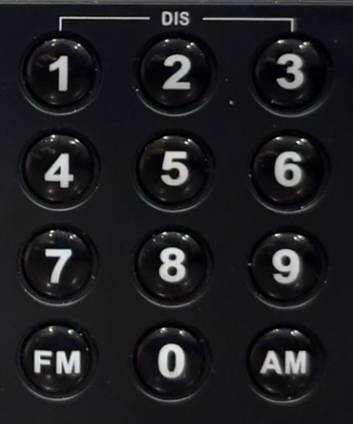
The primary means of direct entry is to key the frequency and then press AM or FM. If one keys 153+AM, the radio will tune to 153 kHz and set the band to LW. Keying 1530+AM sets the band to MW and tuns to 1530 kHz. Keying 15300+AM sets the band to SW and tunes the radio to 15300 kHz. FM of course selects the FM band. This automatic band selection is very convenient and makes a lot of sense. The user doesn’t have to figure out what the current band is, or worry about setting it to quickly tune a station.
AI generated content may appear occasionally in articles and will be denoted with the 🤖 [robot emoji] symbol. Content comes most often from Microsoft Copilot, but may also come from Perplexity, ChatGPT, Duck.ai, Grok or Deep Seek.