Radio manuals usually describe the external antenna jack as dedicated to bands above medium wave. Using an external MW antenna is typically accomplished by some sort of magnetic coupling.
I think the first radio that I knew allowed the external jack to be used for MW was my Panasonic RF-085 with wire posts for the antenna. That was 40 years ago. The second was the Tecsun PL-330 that has this ability through an undocumented process: press and hold the numeric button 3 to switch between external and external antennas. The Tecsun PL-990 has an explicit Internal/External switch on the front panel. I found greatly improved results with a long wire and ground, especially on longwave.
For those in the US planning to purchase a radio from China, you might want to do it sooner rather than later.
Currently there are no tariffs for overseas packages from China valued under $800. That “de minimus” exception ends May 1, 2015. In May the item will be taxed at $75 per item or 90% of its value, whichever is less. After June 1 the tariff is simply $150 per item (per item, not per package).
If you bought 3 radios priced at $40 each, totaling $120, here’s how the tariff would work May 1:
Tariff Calculation: Since the de minimis exemption ends on May 1, 2025, the tariff would apply. Each radio would be taxed at 90% of its value or $75, whichever is lower. For a $40 radio, 90% of its value is $36, which is less than $75. Therefore, the tariff for each radio would be $36. For 3 radios, the total tariff would be $108.
Collection Process: The tariff is typically collected by the shipping carrier or customs broker. When your package arrives in the U.S., customs will assess the tariff, and the carrier will notify you of the amount due. You would need to pay the tariff before the package is delivered to you.
After June 1, it’s just $150 per item, so the three radios would have a $450 tariff.
Note: tariffs are imposed based on the country of origin, not the country of shipment, and they are taxed on the day the arrive in the US, not the date of order or shipment.
This is an unusual purchase, one not for my radio listening and testing hobby, but for practical purposes. It’s for two-way communications in an area with poor cell coverage.
The BAOFENG GM-15PRO replaces a pair of really antique Cobra PR255 MicroTalk walkie talkies with broken non-replaceable antennas.
BAOFENG GM-15PRO two way radio with accessories (Amazon product photo)
At $50 for the pair, it’s a surprisingly low-cost solution.
The box is attractive with a molded plastic insert to compartmentalize all the accessories (see product photo):
2 Radios
4 Antennas
2 Batteries
2 Battery chargers
2 USB charging cables
2 Belt clips
2 Hand straps
2 Headphone assemblies
1 User Manual (the Amazon listing says it comes with 2)
I’ve been following the broadcasts from Broadcast Media GmbH, Nauen, Germany, of a station called Music 4 Joy. When the Winter 2023 schedule went into effect, I couldn’t hear them any more. A suggestion online said the broadcast had switched transmission mode to DRM. On an AM radio, DRM is said to sound like white noise.
None of my radios receive DRM and no portable radio for sale at Amazon receives DRM. Despite what the 80th Anniversary broadcast from Woofferton said about the future of shortwave radio being DRM, I think they were getting ahead of themselves.
But it’s raining outside and I don’t have anything better to do, so let’s try something.
SDR
I have an RTL-SDR Blog V3 SDR that supposedly is capable of receiving DRM with some additions. They have a tutorial.
Virtual Audio Cable
It appears that the approach is to route the audio from the SDR software (in my case SDR#) through a virtual audio cable into some other software. So the first step is installing that. The tutorial has a link to two options, a free one and a paid one. The link to the free one doesn’t work so, ka-ching, I’m out $30.
I installed the Virtual Audio Cable program and it was fairly straightforward, although lots of windows popped up. The tutorial says to set the sampling rate, but it was already correct from the start.
DRM Decoder
Next step, install a DRM Decoder called DREAM, open source. There’s a bit of a problem with the word “source.” Source files can be read by people, but not executed by computers without a transformation (called “compiling”). I don’t have any compilers on my tablet. So now I either have to install more software on the computer (and I already know how that will get messy really fast), or download a compiled version from somewhere else that is either illegal or legal depending on my country. Google Chrome warned me that the file was “dangerous” because of the file type, but I forged ahead.
Lunch
Supposedly all the installing is done, but a new challenge beyond the complexity of setting up SDR# to use the new decider — finding a station that’s broadcasting DRM. And before I can do that, it’s lunch time.
A new day – Nicht fur gerwerken
Some kind soul (Giled Letourneau) on the Internet suggested Radio Romania as my best bet for a test DRM broadcast. An hour in advance, I gave it a try.
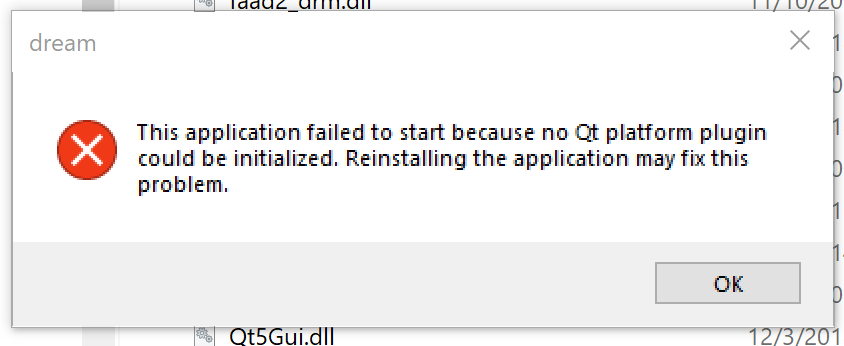
It failed. Given that the application has no installation procedure, reinstalling it doesn’t seem to be an option. So let’s see if there is a better error message in the Windows Event Viewer.
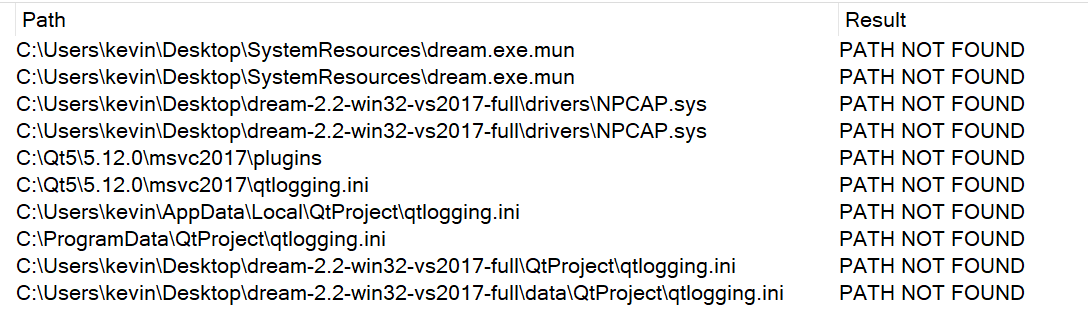
Not much in the Event Viewer except that the failing module was Qt5Core.dll, a file in the DREAM directory. OK, time to get out the big guns, Procmon. This system internals tool follows processes and perhaps I can see it trying to access something and failing. This is what it gives me to work with:
PATH NOT FOUND isn’t usually a big deal because software goes looking for things in lots of places until it finds something. It did find NPCAP eventually in a Windows/System32/Drivers folder.
I took another approach with Procmon; this time not just looking for failures. The result was 353,989 events that I will not copy and paste here. Sigh.
Rather than continuing the DREAM debugging path, I decided to search for solutions to the error message. The first led me to a Python environment — skipped that. One solution suggested was:
The platform plugin is a dll (qwindows.dll). If you know the Qt version and compiler used by the application you can download the corresponding Qt package and copy the dll over. Ultimately, however, his is a problem you should report to the provider of the commercial app
The commentary suggested that DREAM was an abandoned software project without a proper installer.
Well, do I know the Qt version and compiler? I know the Qt version from looking at the properties of some of the .dll files, 5.12.0. So, where do I get it?
Somewhat helpful thread here. That says I have to install Qt. The problem is that the oldest QT installer I found was for version 5.15, not 5.12. To make a very long story short, I found a download link for 5.12.0. The file is 2.8 GIGABYTES! Seriously? If you find yourself in a hole, stop digging. What? Dig, dig, dig. I can’t hear you. Dig, dig, dig. I have a fast internet connection, maybe not such a big drive on this tablet computer. OK, plenty of drive space. Dig, dig, dig. Download complete. Now it’s making me create a Qt account and verify it. Dig. The installer says it will take 6G. Dig. And it looks like it’s only 64 bit, and DREAM is 32 bit. Dig. It it lunch time yet?
I installed Qt. I found the qwindows.sys file in the MingW folder and copied it to the DREAM directory, tried it there and in the /plugins/platforms directory. Same error.
Restart
That was November 14, 2023 when I gave up. Now it February 11, 2025. It’s snowing outside and I have a new RTL-SDR V4 dongle. RTL-SDR.COM has a tutorial. The tutorial looks like the same thing I tried in 2023. Sigh.
The Raddy RF760 is a remarkably feature-packed radio with everything from longwave to UHF coverage, variable bandwidths and steps, a squelch, weather alerts and even single sideband (SSB). Only 11 buttons and a “flying shuttle button” (tuning knob) for all that optionality places a significant functional overload on the buttons and the display.
The manual discusses SSB in section 14.3.3, but it’s difficult to follow. So first, let me demonstrate that SSB works, explain some concepts and then offer some tips. Here is reception of a lower sideband (LSB) ham radio transmission on the 40m band around sunset. I thought it sounded pretty good.
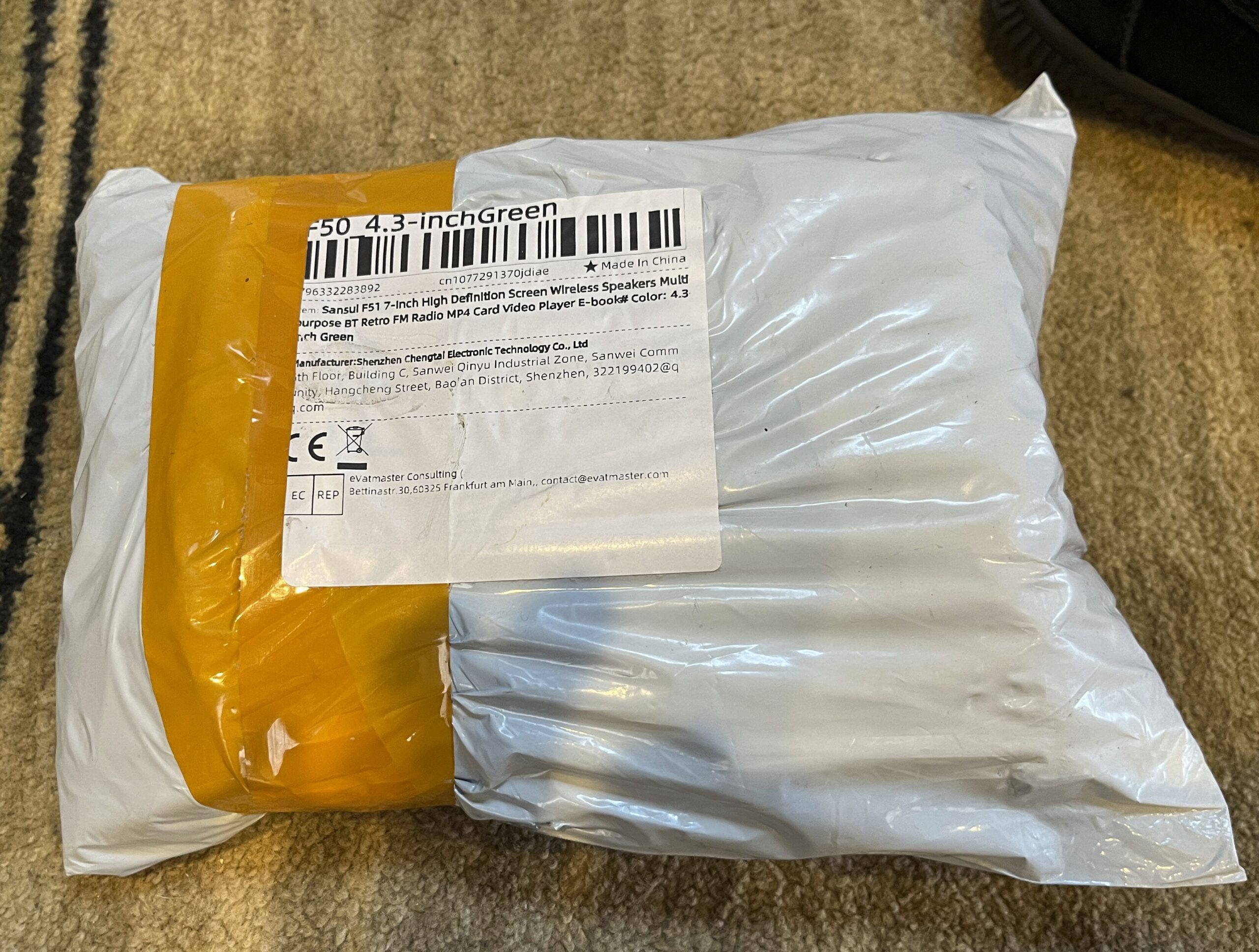
I can’t do an unboxing because there was no box, only a foam shell.
Sansui F50 — It’s actually a dark gray green
The contents were the Media Player/Radio, a USB-Cable and an instruction manual in Chinese. Fortunately the AliExpress seller provided me with an English language manual that I rewrote with the help of the Microsoft Copilot AI, adding the information necessary to convert the display from Chinese to English. Here is my manual: Sansui F50 User Manual.
Some of my radios came with cases and some didn’t. When I grab a few to take to the pond or the park for testing, I put the radios in their cases or another radio’s case to keep them from getting scratched up. I also use the lock buttons/switches to keep them from coming on during transport. Then upon arrival I take the radios out of the cases, turn off the locks, use the radios, turn on the locks, put the radios in their cases, come home, take the radios back out of their cases and unlock them. It just takes time.
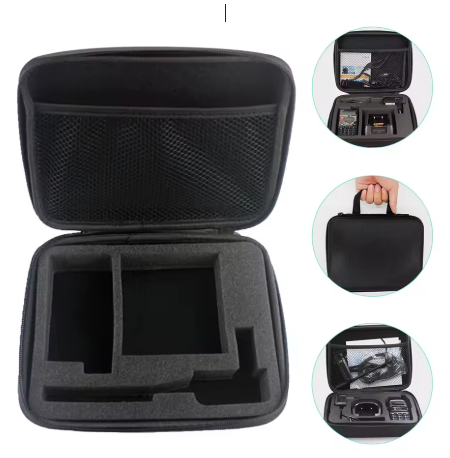
I thought I would make some custom cases that would hold more than one radio and that would prevent them from accidentally coming on. A product on AliExpress looked promising:
It’s designed for a walkie talkie, but I can make my own custom insert to fit in its size of 8.3 x 6.7 inches. The cost of the case is $8.19 (I ordered 3). I could easily get three small radios in there, like the Raddy RF75A, Raddy RF760, HanRongDa HRD-701, Tecsun PL-118 and a Tecsun Q3, or two larger ones. Plus I can make a case for the Grundig G4000A. It’s just an experiment. I ordered some foam inserts from Amazon.
Online videos say I can cut the foam with an electric carving knife.
Update: The cases arrived today. They seem well made.
The case itself is is advertised as 2.36 inches thick and the thickness of the foam pad is about half that, allowing significant extra space above the surface and in the pouch. In the product photo, there are cutouts specifically for the walkie talkie. In the actual product the cuts are there as well as the parts that are cut. The user can take out parts as desired. The foam is very stiff, much more so than the foam I purchased from Amazon.
While the product size is as specified, it seems smaller in person than I expected. I’ll be able to fit one larger radio (like the Sansui F50), two smaller radios (like the Zhiwhis ZWS-603, Qodosen DX-286, Kaito KA29 and Sihuadon R-108) or three compact ones like the HanRongDa HRD-701, Raddy RF75A and Raddy RF760). One could also put in spare batteries, a reel antenna and a charging cable. A big radio like the Tecsun PL-660 / PL-990 or Grundig G4000A would fit in the case but without much if any foam padding on the sides.
AI generated content may appear occasionally in articles and will be denoted with the 🤖 [robot emoji] symbol. Content comes most often from Microsoft Copilot, but may also come from Perplexity, ChatGPT, Duck.ai, Grok or Deep Seek.